
Before being able to claim products and services with loyalty points, you must first setup your loyalty points to be redeemable with products and services. Do do this, click here.
Once setup, to claim products and services with your points:
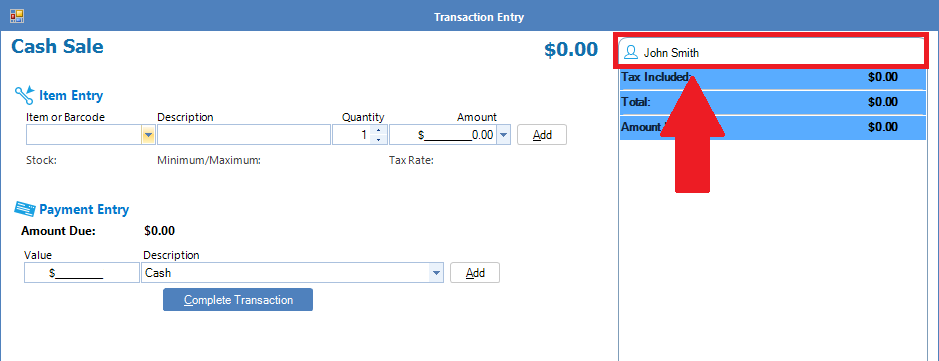
Step 1: Open Cash Sale and enter the client's name. To learn how to do this, click here.
Step 2: Once the client's name is selected, proceed with locating the service which has been setup with redemption by loyalty points criteria. Once found, click Add. You will notice that once added, if the client has enough loyalty points to claim the product/service, the amount due will be $0.00. It will also say on the transaction that the product/service has been redeemed by loyalty points.
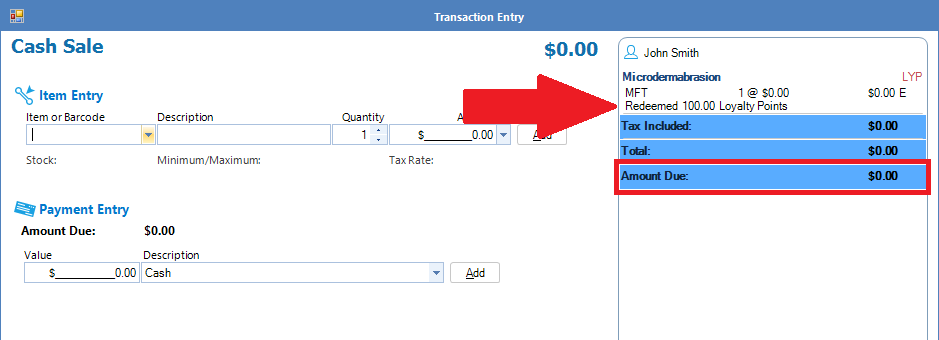
Hint: For Bookings, because the client name is already selected in the booking wizard, if you select a service that has been setup with the loyalty point criteria and the selected client's accumulated points fit that criteria, the service amount due will automatically be reduced to $0.00.
0 Comments