
When performing a cash sale for walk in clients, you may link the transaction to a client card if they are an existing client to your business.
This will ensure there is a record of the item sold to the client. You may also add in a brand new client by creating a client card straight from the transaction entry screen.
To add a client's name:
Step 1: Go to the Transactions tab and select Cash Sale.

Step 2: The Transaction Entry screen will appear. Click Client Details.
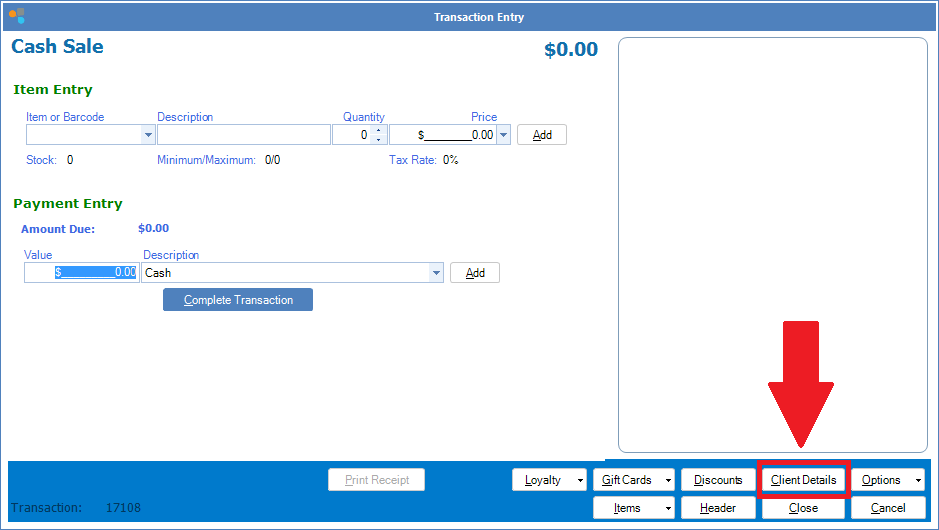
Step 3: You will now have the option to either search for an existing client by clicking the search button (green arrow) or create a new client card by entering the new client's details in the fields. Once done, click Details to return to the Transaction Entry screen. 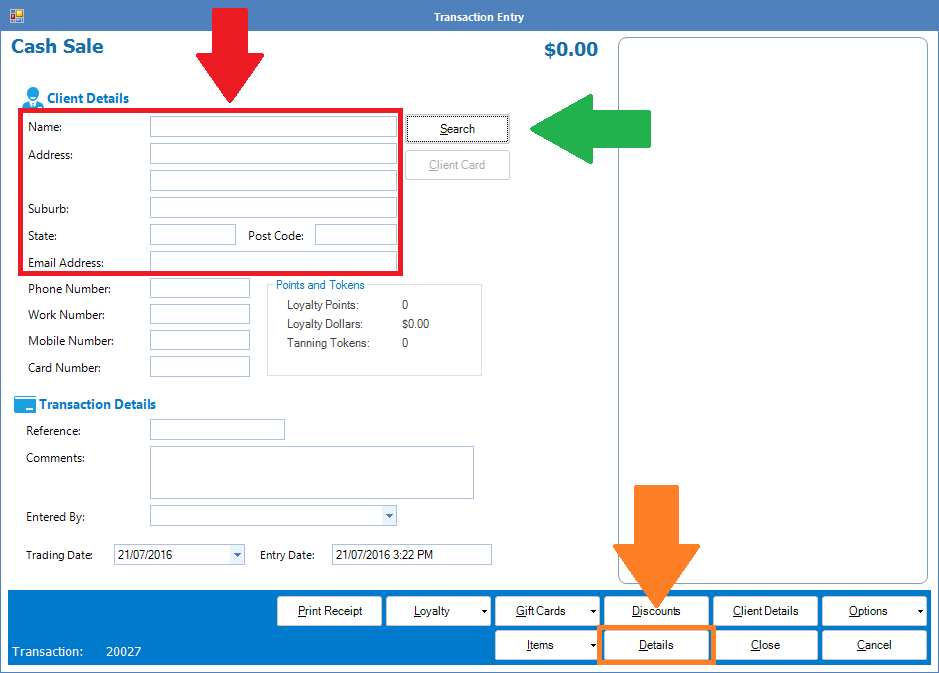
0 Comments