
Konnect accepts multiple payment types into the system, such as Cash, EFTPOS, Bank Transfer, Loyalty Dollars etc.
With these payments, you can determine if they are bankable or not. To decide which one is best for your business, we recommend consulting with your accountant.
To set payment bankable status:
Step 1: Go to the Administration tab and select Payment Types.

Step 2: The list of payment types will appear. If your payment type is not on the list, create a new one.
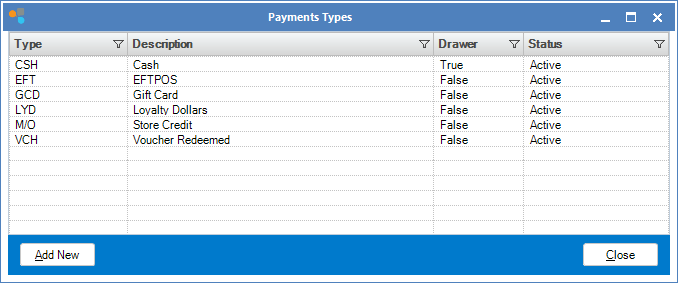
Step 3: Double click to open your chosen payment type. Within Payment Type Maintenance, you will see a Bankable Payment checkbox. Tick if you would like this payment to be bankable and untick for non bankable. Click Finish to save.

0 Comments