
Konnect Spa and Salon Software is capable of accepting deposits, or a pending transaction. This means a transaction can be opened pending full payment is received. If the client wishes to part pay they may do so by paying a deposit. To learn how to setup deposits, click here.
If you would like to send out a outstanding invoice by either print or email, do the following:
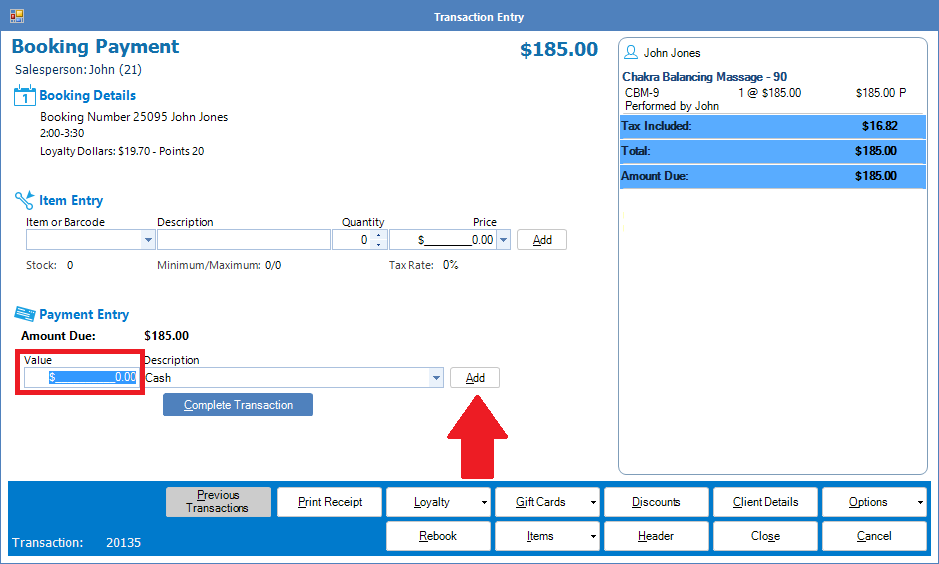
Step 1: Open either a booking payment or a cash sale, select the product and/or service and in Payment Entry, leave the value as $0.00 and click Add.
Hint: For Cash Sale, ensure your client name is logged into the transaction. To learn how to do this, click here.
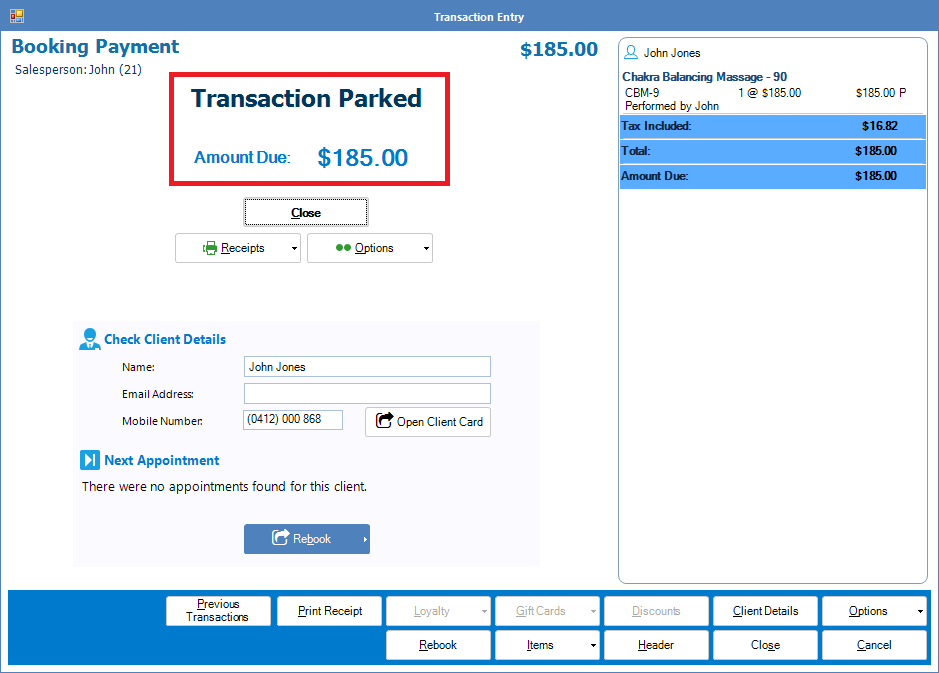
Step 2: The Entry will change showing Transaction Parked, followed by the amount due dollar.
Step 3: Click Receipts to reveal your invoice options:
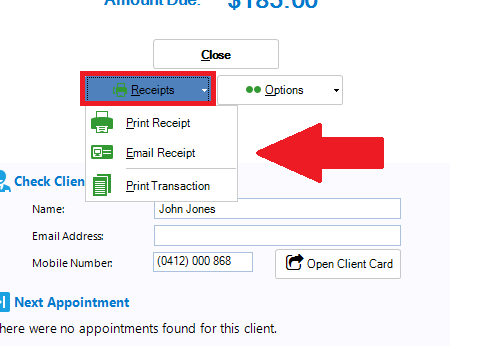
Print Receipt: Prints a copy of the outstanding invoice (your computer must be connected to a printer).
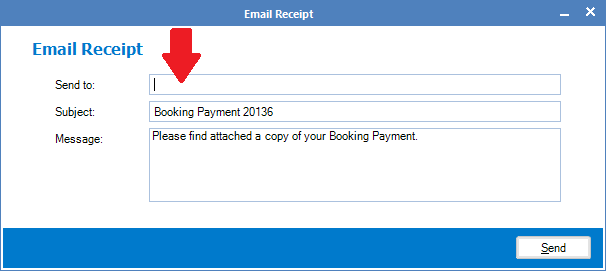
Email Receipt: Sends your clients a copy of the outstanding invoice via email (you must have email credits and have internet connection).
Print Transaction: Prints a copy of the outstanding invoice (your computer must be connected to a printer).
0 Comments