
Konnect has the feature to prevent unauthorised access to your system when it is unattended.
Before using this feature, it is important that you have setup your username and password for the system. If you have not, click here for more information.
To activate this feature:
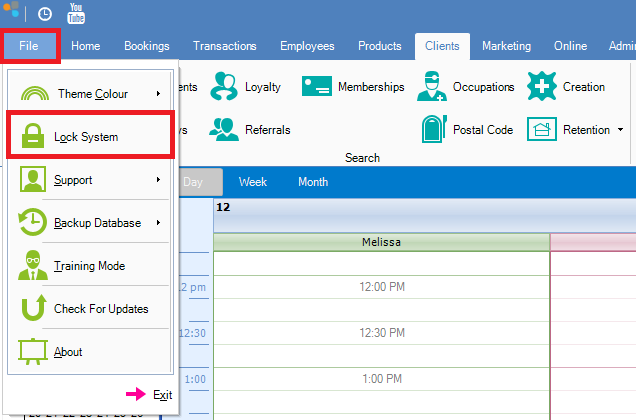
Step 1: Go to File and select Lock System.
Step 2: The software will immediately minimise and the Password Required box will appear.
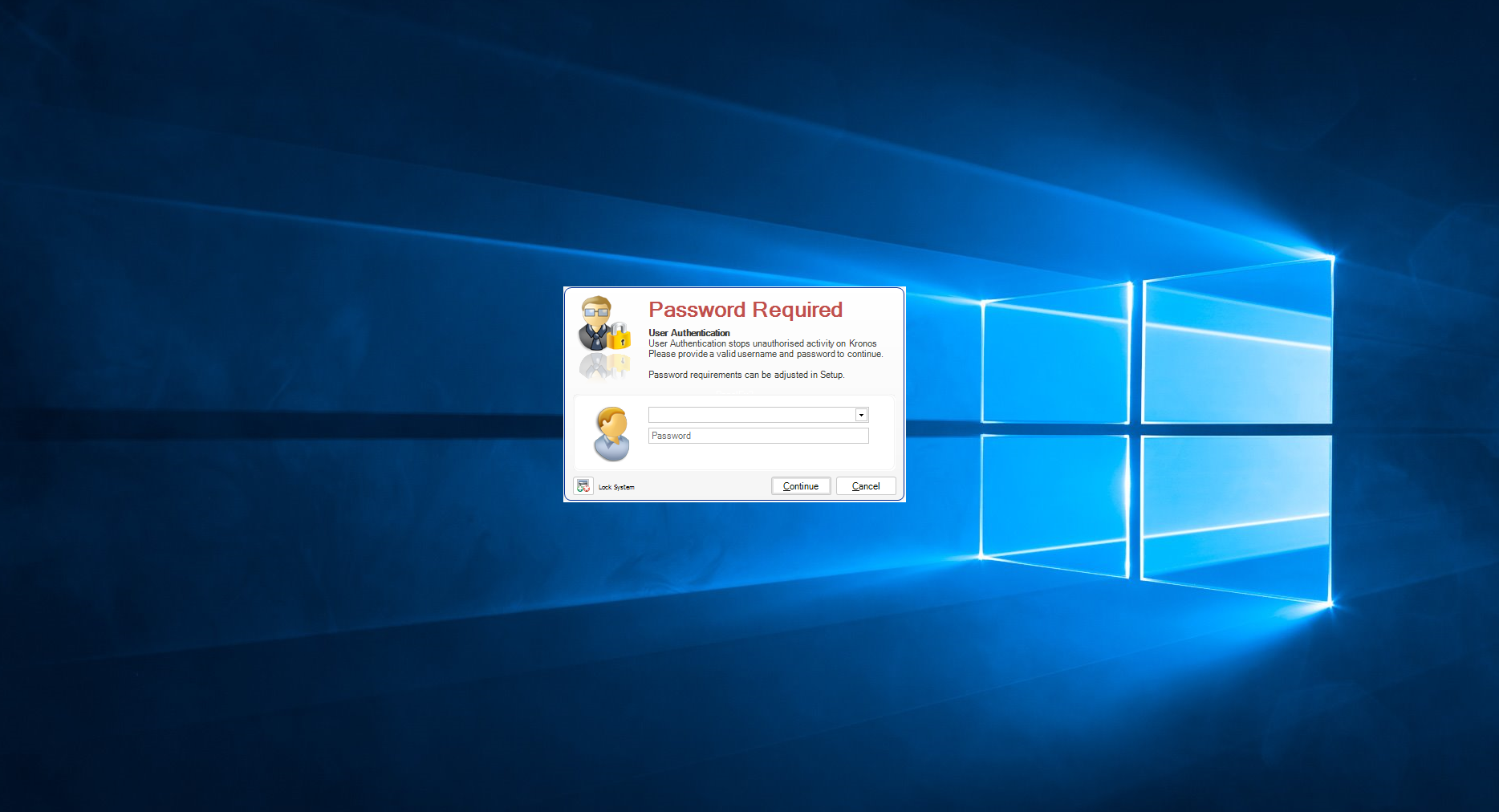
Step 3: To restore functionality, the software will continue to be minimised until the correct username and password is entered.
0 Comments