
Depending on your system setup, you may need to change your password from time to time.
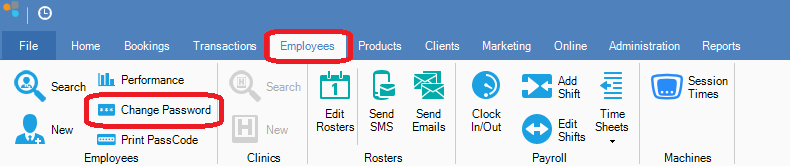
Step 1: Go to the Employees tab and select Change Password.
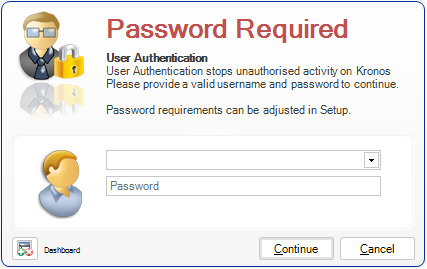
Step 2: You will then see the "Password Required" page. Select your name and enter your existing password.
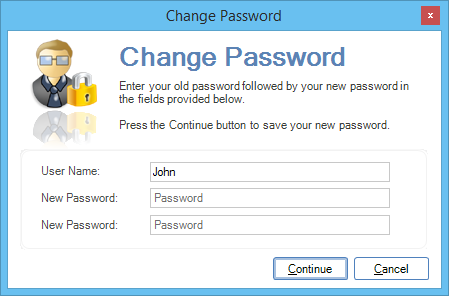
Step 3: You will then be requested to enter your new password. Once done click Continue.
Once a password is used, the same cannot be re-used. No exceptions!
Note:
If you have "Owner" authority, you can change another employee's password by entering their username in the Username field and your password.
Enter the new password in both New Password fields. Depending on your system setup, there may be restrictions on the types of password you may use.
YouTube Video:
0 Comments