
Default working hours are set within the Employee's card. It is recommend for employees who work the same hours every week. For employees whose working hours differs every week, it is recommend that Rosters is used.
Note: An active roster will always override an employee's default working hours.
To setup default hours, do this:
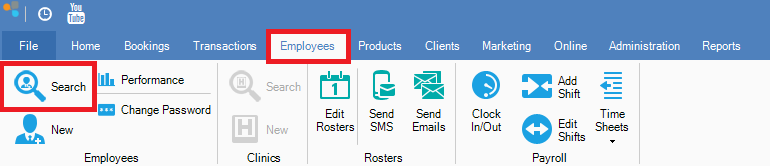
Step 1: Go to the Employees tab and select Search.
Step 2: Locate the employee in question and double click. You will now see the Employee Maintenance screen. Click Next until you see Default Work Hours.
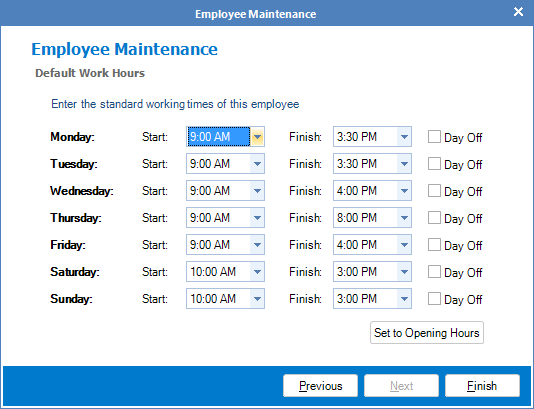
Step 3: Change the default working hours to suit your employee's needs. Once done, click Finish to save.
0 Comments