
To adjust bookings:
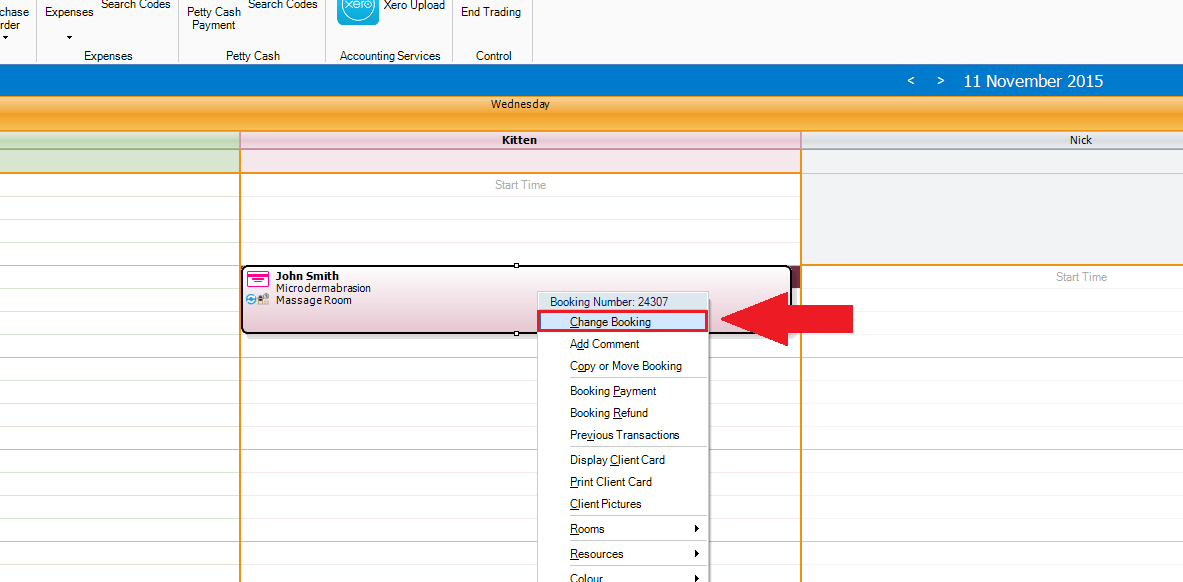
Step 1: Right click on the booking that you would like to amend. A drop down list will appear. Select Change Booking.
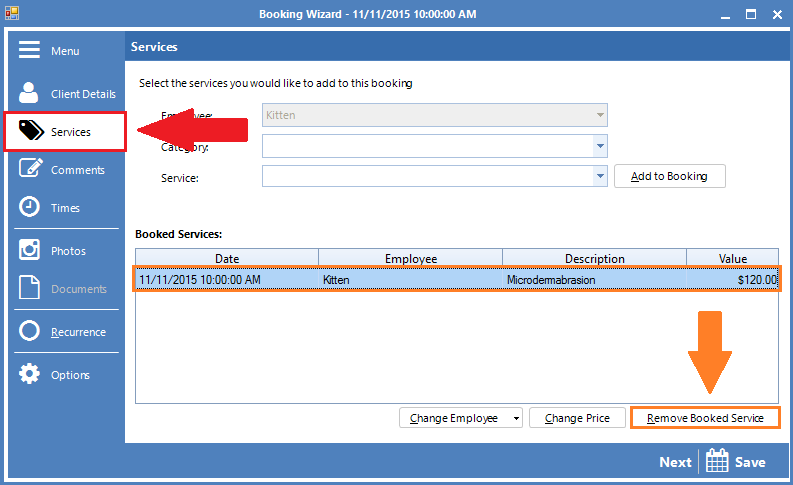
Step 2: The Booking Wizard will appear. To change the booked service, click on the Services tab (red arrow), highlight the Booked Services and select Remove Booked Service (orange arrow). Once removed, you can now choose a new service and select Add to Booking.
To learn how to copy a booking, click here.
To learn how to move a booking, click here.
YouTube Video:
0 Comments