
Redeeming a prepaid pack:
A prepaid pack can only be redeemed by clients who have purchased one and has a record of it in their client card. To check this, go to the client's card and select Prepaid.
To learn how to sell a prepaid pack, click here.
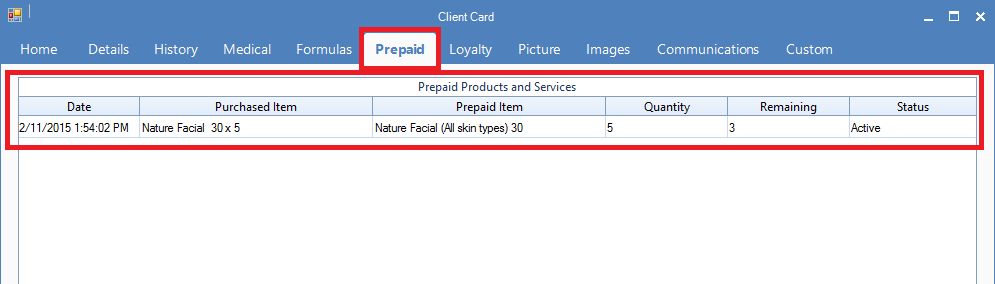
To redeem a prepaid pack:
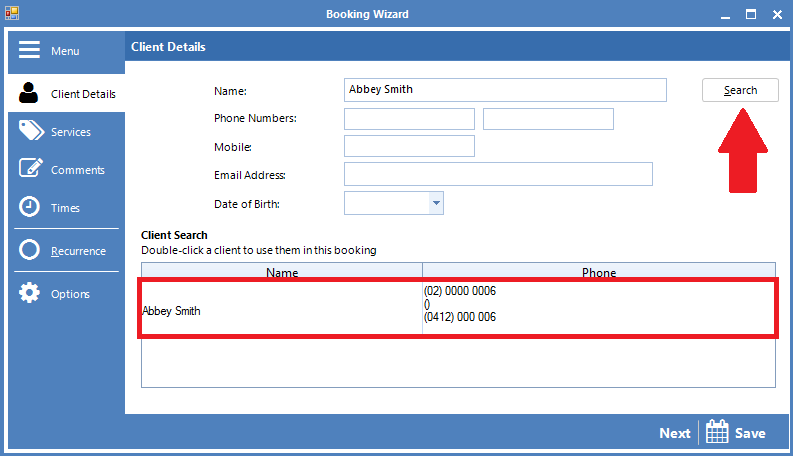
Step 1: Open the Booking Wizard and click Search to locate the client's profile. Once done, double click on the client's name.
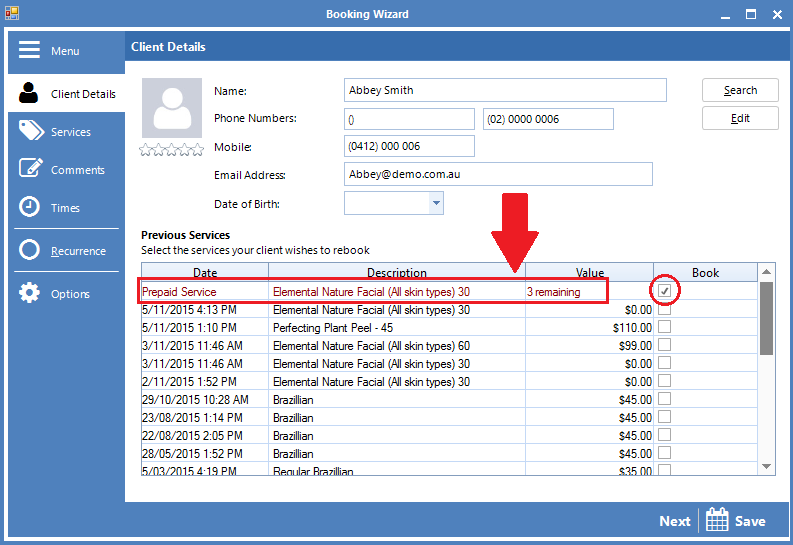
Step 2: If the client has any prepaid services in their account, it will appear under Previous Services, showing the Prepaid Service, the description of the service and the number of prepaids left. To book the prepaid, tick the service under Book and select Next.
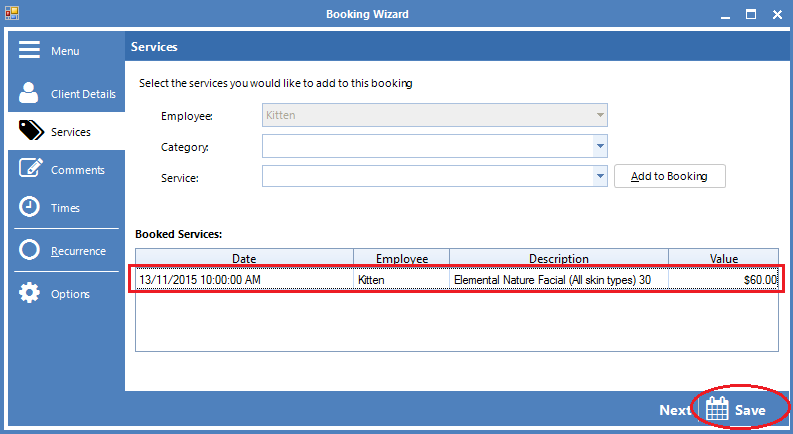
Step 4: In Booked Services, confirm the correct service is selected. Once done, select Save.
YouTube Video:
0 Comments