
Salesperson
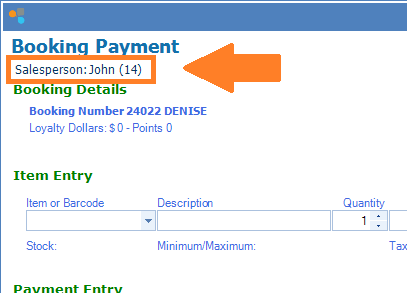
A salesperson only takes into account who the salesperson is for the transaction, regardless of whether the salesperson serviced the clients or not. This also reflects when password is used. The salesperson is also chosen by default by whoever made the original booking. You may change the salesperson name by going into Header and selecting the replacement name from the list. 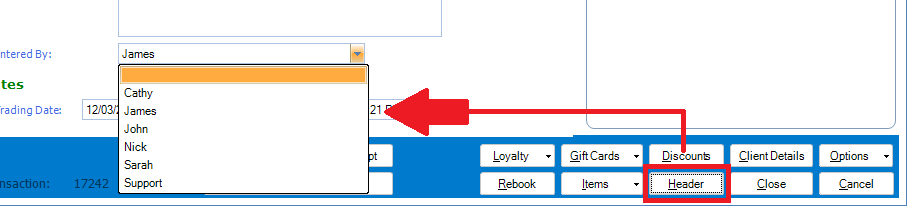
The information here also reflects on all Salesperson reports within Konnect.
Employee Sales
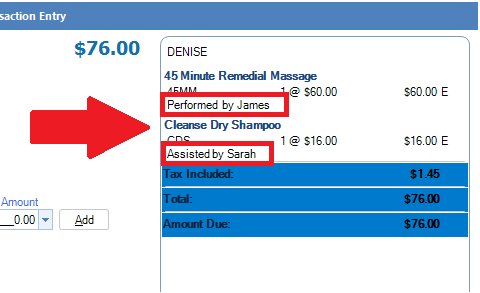
Employee sales takes into account who serviced the clients in the transaction. This gives better tracking in terms of how your individual staff is performing based on clients they serviced. This is also related to commissions if your business uses commissions for your staff. For information on setting up commissions, click here.
For employee reports to generate accurate results, it is VITAL that the correct employee is always displayed in "Performed by" and/or "Assisted by". You do this by assigning commission to them. (do this even though you do not use commissions within your establishment). This will add the employee's name servicing the client.
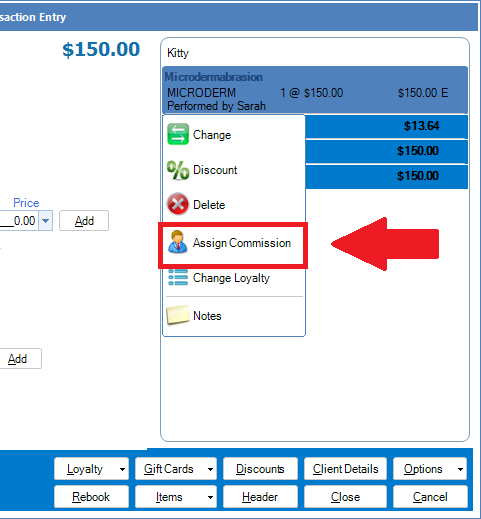
The information here also reflects on all Commissions and employee reports within Konnect.
Remember that your reports are only as accurate as the information you enter into the system.
Example case study:
Nick and James are colleagues in a salon. Today 1 client is booked with James for a facial and massage. Nick is a facial therapist and James a massage therapist so therefore this booking is split between the two.
Here is how the transactions appears:
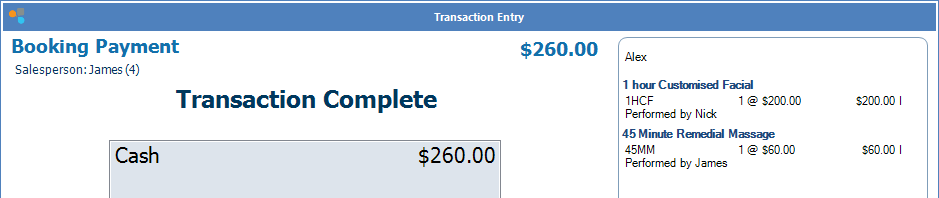
Notice that the salesperson's name on the top left is James however Nick is also involved with services performed on the client. This is shown in the "Performed by" on the right, with James for massage and Nick for facial.
When we generate a Salesperson Report, this is how it looks:
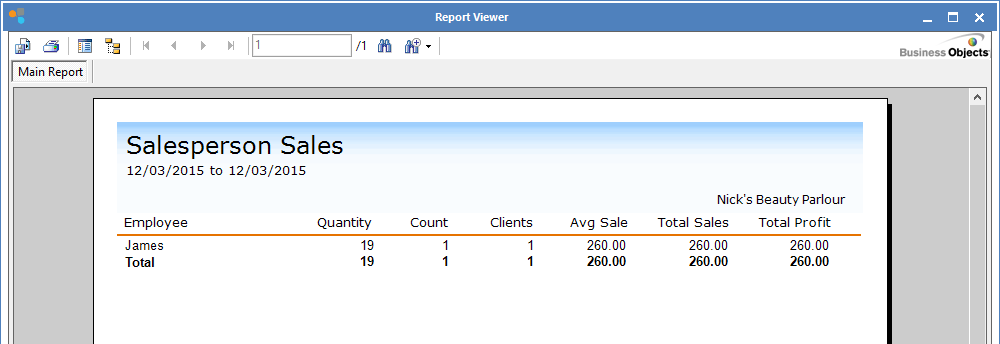
It appears Nick has not serviced any clients today. On the contrary we know that he has based on the transaction entry above. This is because the Salesperson Report does not take into account who serviced the client. It only records who made the transaction entry. (the salesperson).
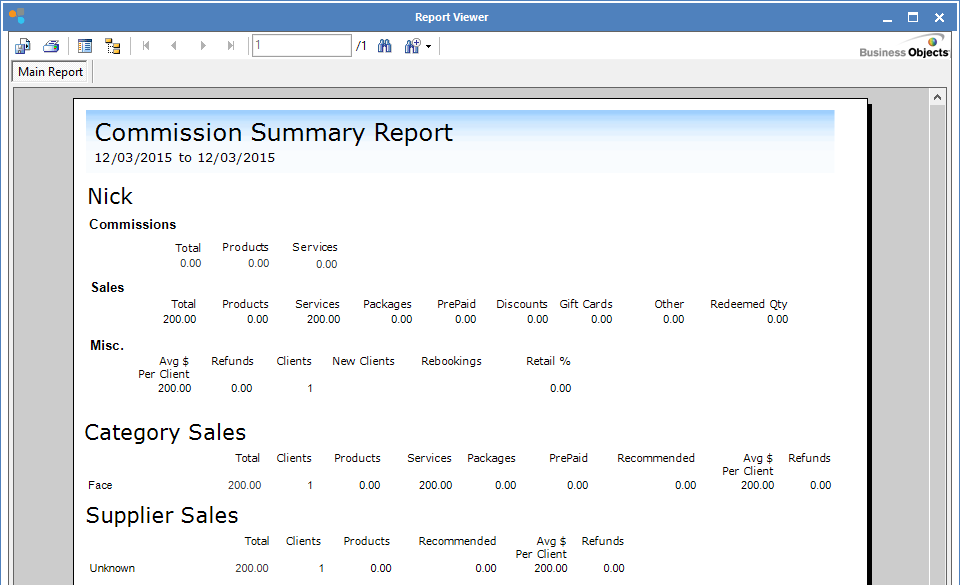
When we generate a Employee Report, it shows here that Nick did indeed service a client and details what service was performed.
0 Comments