
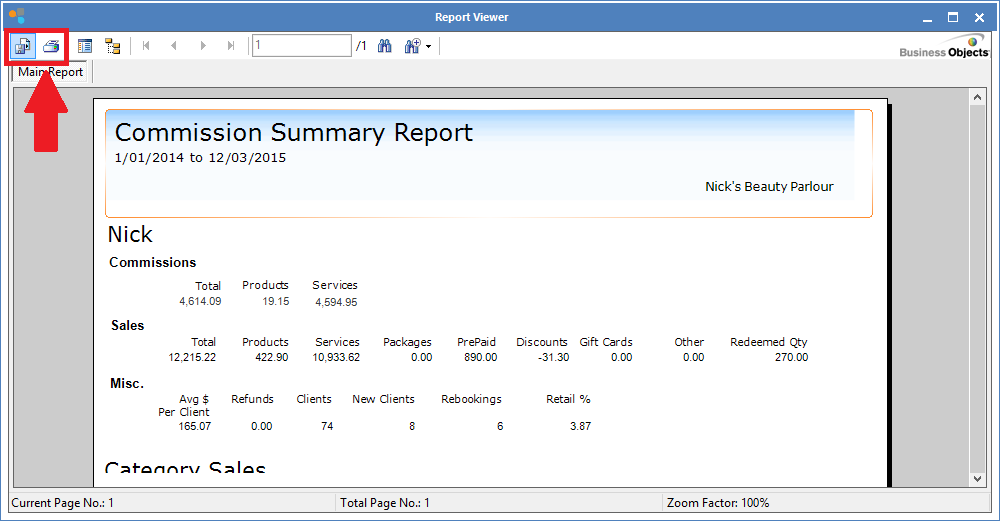
The Employee Summary Report shows a complete summary of the employee's commissions (if this is setup correctly) and services. It calculates the number of services based on "performed and assisted by" (such as split bookings and assigned commissions etc) in Transaction Entries. It also shows other useful performance information such as re-bookings and clients serviced etc.
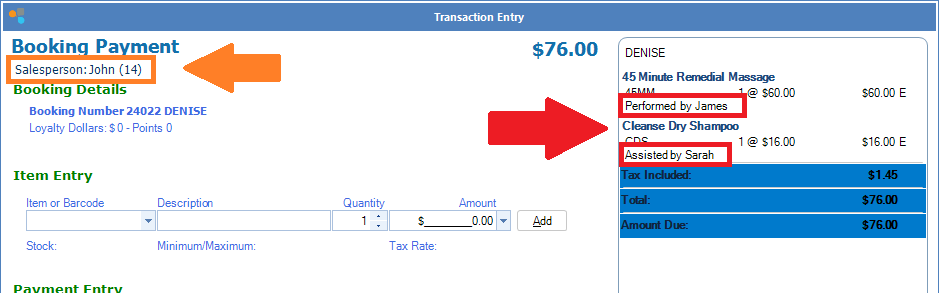
Do not get this report confused with the Salesperson report, which only takes into account whoever is named in the Salesperson field (orange), regardless of who served the client (red).
For further clarification, click here.
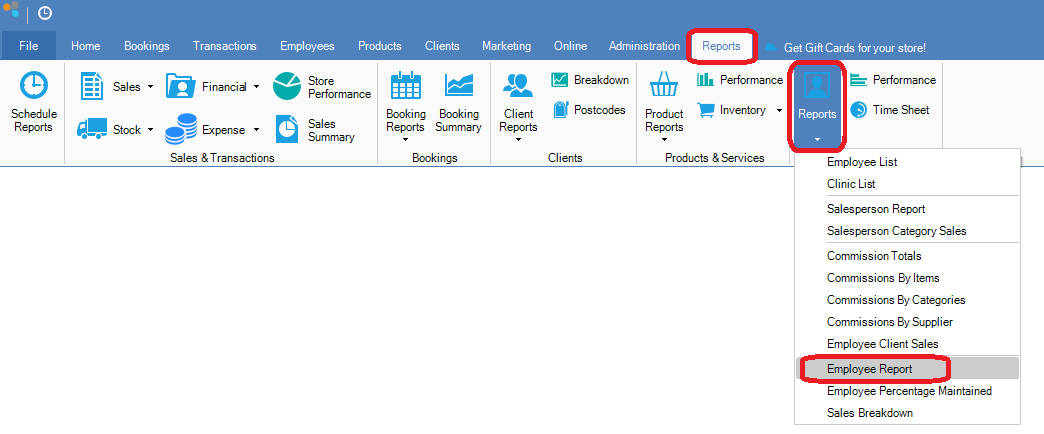
Step 1: Go to the Reports tab, select employee Reports and click Employee Reports.
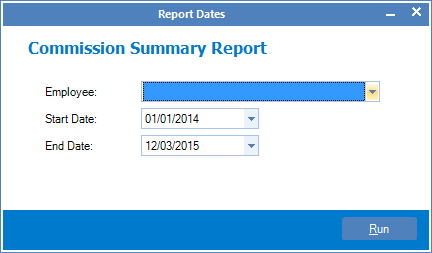
Step 2: The Commission Summary Report page will show. Select the employee name. starting and ending dates you would like to see in the report and click Run.
Step 3: The report will then be generated. You can then either save or print by clicking one of the icons.
0 Comments