
Konnect can send booking reminders, employee rosters and custom messages via SMS to mobile phones.
To learn how to setup your booking reminders, click here.
Before doing so, you will need to have SMS credits within Konnect.
To setup your SMS account details:
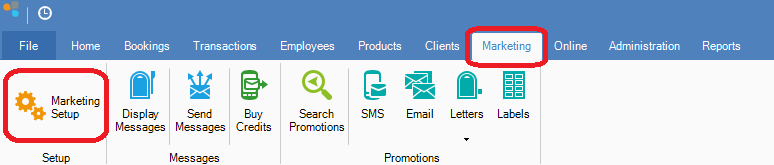
Step 1: Go to the Marketing tab and select Marketing Setup.
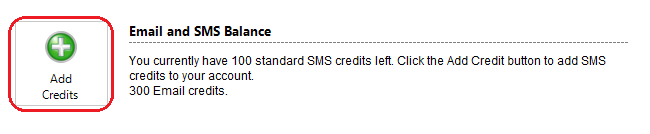
Step 2: Once you entered your details you should be able to see your email and SMS balance. If you require more credits, simply click on the Add Credits button.
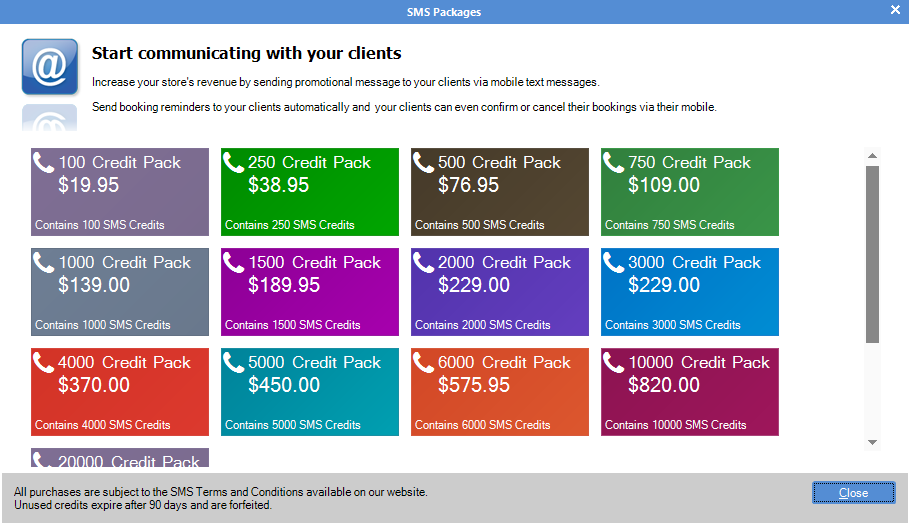
Step 3: The SMS Packages window will show. Select the package you would like to purchase.
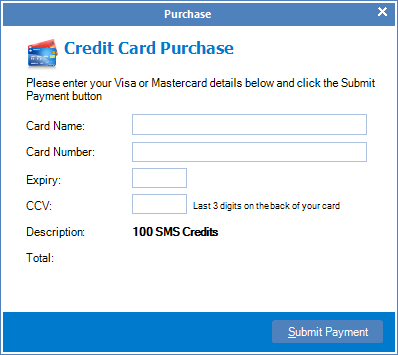
Step 4: Once you have decided which package to purchase, click and enter your card details and select Submit Payment.
Step 5: Send an SMS test to ensure your SMS system is running. Do this by clicking Test Account and selecting SMS Test from the drop down menu.
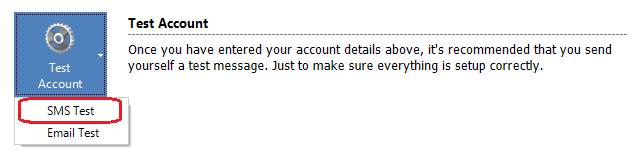
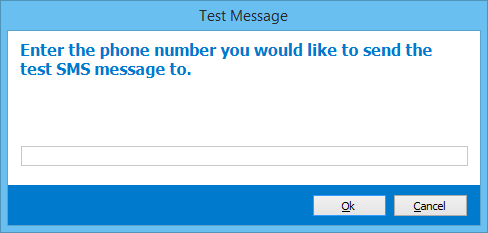
Step 6: A Test Message window will now open. Enter the number you wish to send the test message to and click OK.
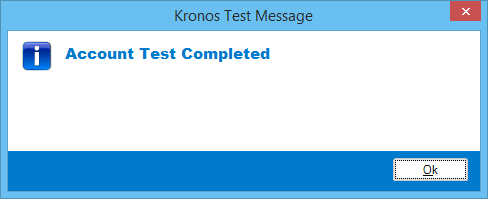
Step 7: You will receive an SMS to the number you have entered and a confirmation screen will show the Account test is now complete.
Note:
If you didn't receive the SMS, or received a Test Failed window, contact support on 02 8004 7684 (Mon-Fri AEST).
YouTube Video:
0 Comments