
If you have online bookings in your store, you can integrate this with Konnect, opening your business 24/7!
To setup your online booking, ensure your services are viewable online.
To check this:
Step 1: Go to the Products tab and select Search Services. Locate the service you would like to display online.
Step 2: The Service Maintenance page will come up. Click on "Online Booking". 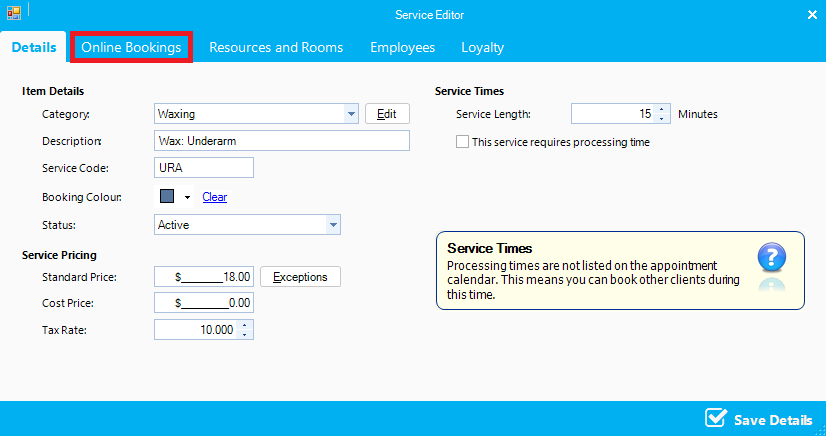
Step 3: Select Yes in Show Online. If you would like to add a description and details of the service, you may do so here. Online description will override what you have saved in service maintenance.
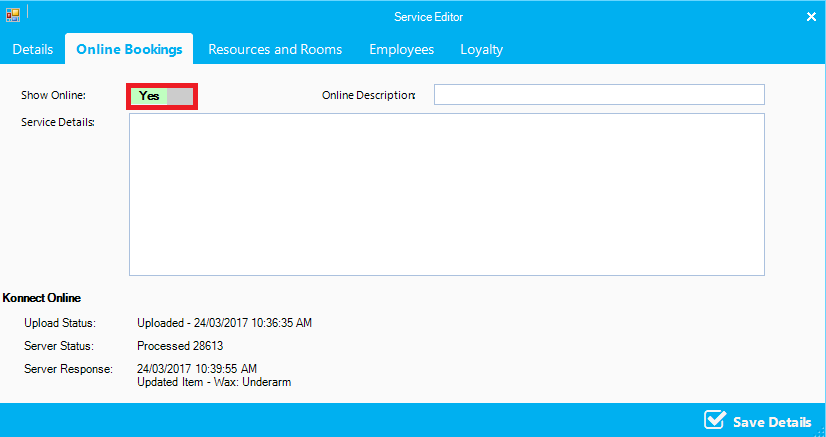
Step 4: If you do not wish to make your services available on online booking, select No.
Step 5: If you want to put a short description on what the service involves for your clients, enter it in service details.
Step 6: Once done, click "Save Details".
Note: Konnect will sync with your online system within 10 seconds. For more information to keep your system synchronised online, see this article.
Online Sync
0 Comments