
Online Sync
Online Sync is used to keep the data that is used for Online Bookings and Konnect Online up to date.
If your store uses Konnect Online and/or Online Bookings you will need to have Online Sync turned ON and an active internet connection. Having a poor internet connection can affect the data that you see on Konnect Online and Online Bookings.
To Turn on Online Sync
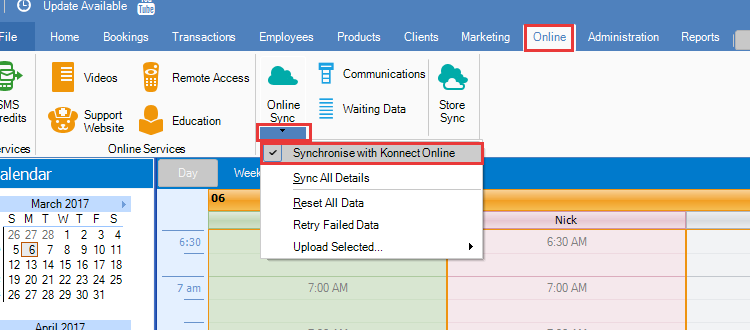
Step 1: Go to the Online Tab, press on the arrow underneath Online Sync and then make sure that the option "Synchronise with Konnect Online" has a tick next to it, if it doesn't have a tick next to it, click on "Synchronise with Konnect Online" to turn it ON.
To Perform an Online Sync
Note: The data will be synced automatically provided you have an active internet connection, the Online Sync button will not be needed most of the time. Having a poor internet connection can affect the data that you see on Konnect Online and Online Bookings.
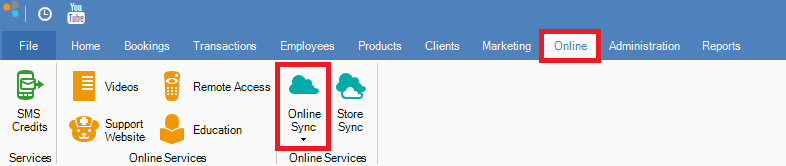
Step 1: Go to the Online tab and select Online Sync.
Step 2: The store sync cycle should begin. Depending on your internet, this may take a few minutes.

Step 3: Once completed, a pop-up will appear advising the online sync has completed.

0 Comments