
If a client wishes to have a specific employee perform all of their services, you can setup a preferred employee for the client within their client card. If you attempt to book a client with their non-preferred employee, Konnect will alert you of their preferred employee. This will not prevent you from booking the client to a non-preferred employee.
Step 1: Click the Clients tab and select Search

Step 2: Enter your client's name to narrow down your search. Double click on the client's name.

Step 3: You are now in the client card. Click Details.
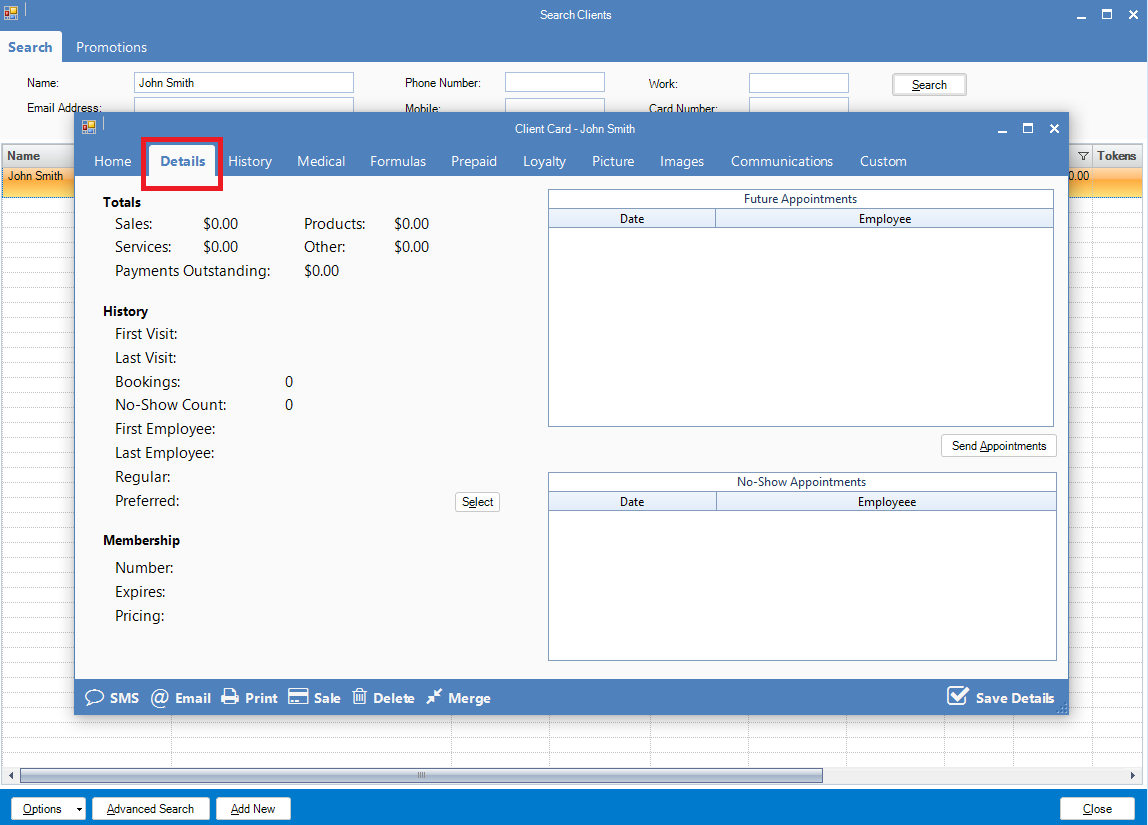
Step 4: Under the History heading, there will be a field called Preferred. Click on Select

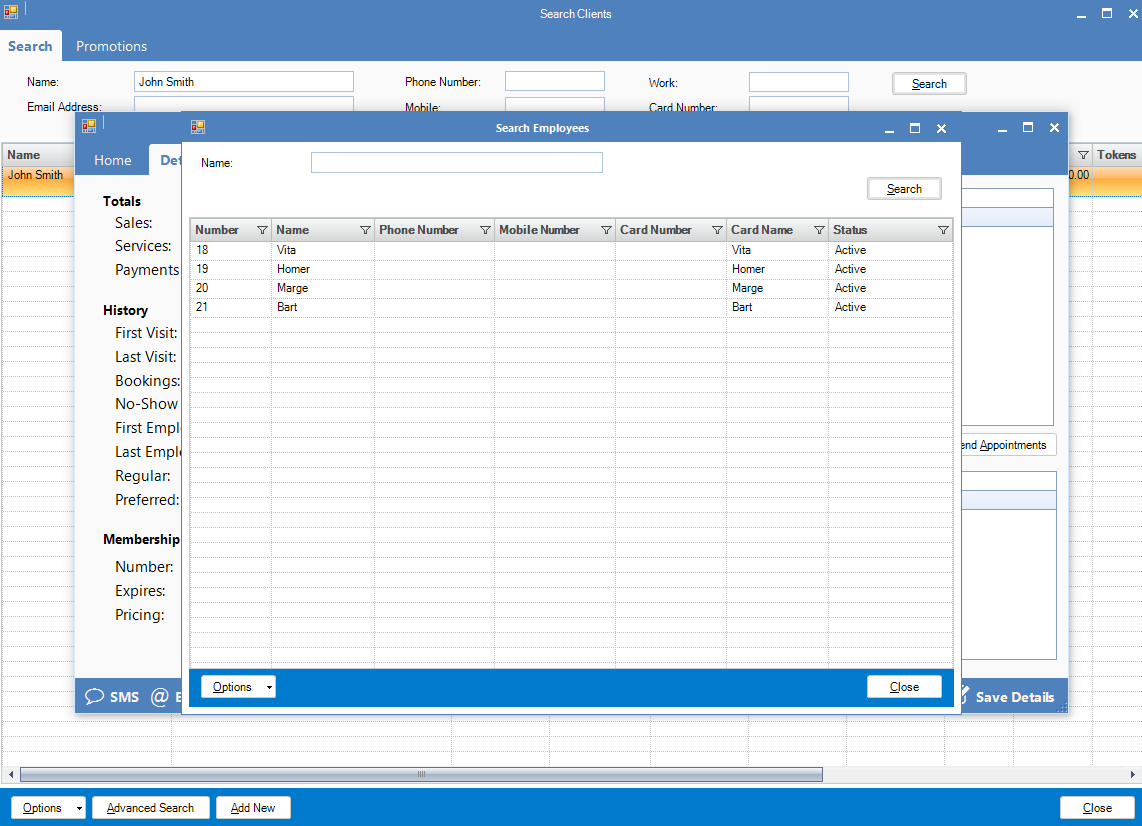
Step 5: Double click on the employee that the client wishes to have as their preferred employee.
Step 6: Click Save Details.
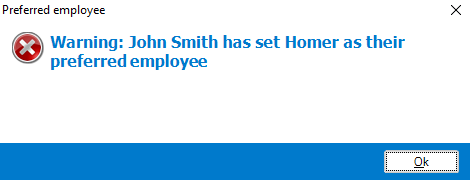
Note: If you try booking the client that is not the preferred employee, an alert will come up as seen below.
This will only alert you that you are currently booking them under a non-preferred employee. This will not prevent you from booking the client under any employee.
0 Comments