
When a recurrence has been made and a cancellation is needed, rather than having to delete them one by one, you can delete the recurrence in one go. You may do so by locating any of the recurred bookings and right clicking to reveal the cancellation option.
To delete recurring booking:
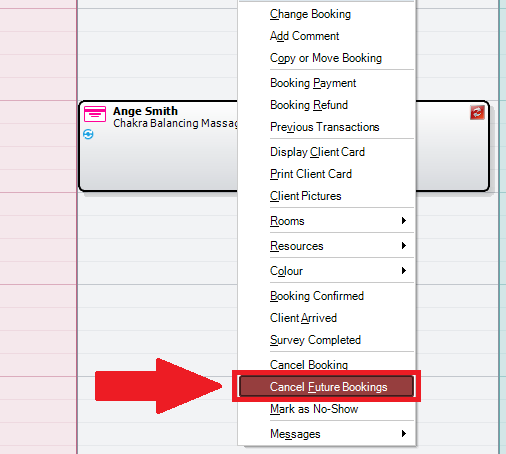
Step 1: Locate the 2nd recurring booking of the client.
Step 2: Right click to reveal the options list and select Cancel Future Bookings. All subsequent future recurred bookings will be cancelled and removed from the calendar.
0 Comments