
Konnect Spa and Salon Software allows you to utilise resources. This is a very handy tool to avoid overbooking resource required services.
To setup resources, you must first create a new resource. Click here for more information on how to do this.
Once a resource is created, do the following:
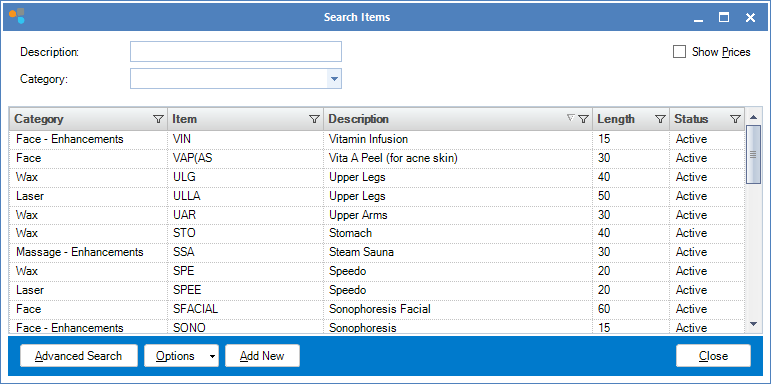
Step 1: Go to the Products tab and select Search Services.

Step 2: Double click on the service to which you want to assign a resource.
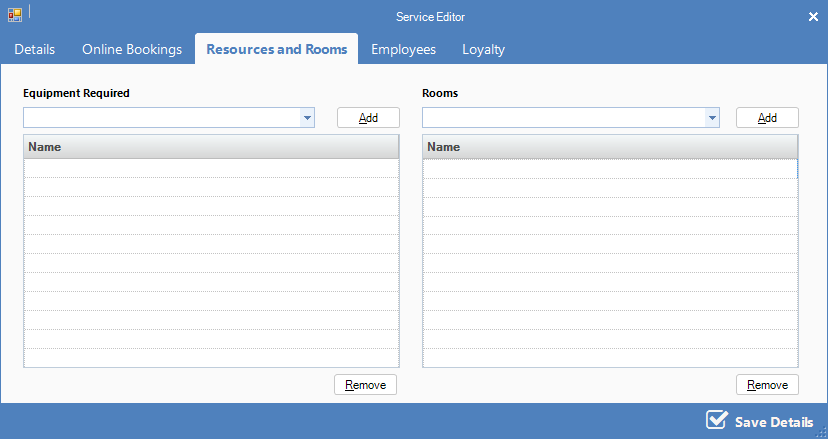
Step 3: Once the Service Editor appears, click on Resources and Rooms. You will see two section. Equipment and Rooms.
Definitions
Equipment - Equipment consists of machines/equipment needed to perform a service. You may add more than the 1 equipment required for a service however the booking will only be allowed if all selected equipment is available.
Rooms - Rooms consists of treatment rooms necessary for the service, eg Massage room etc. You may add more than 1 room as this gives flexibility to your booking, eg if 3 different rooms are selected, when the booking is made, the system will check the availability of the 3 rooms and if any one of the rooms are available, the system will automatically select that room and save the booking.
0 Comments