
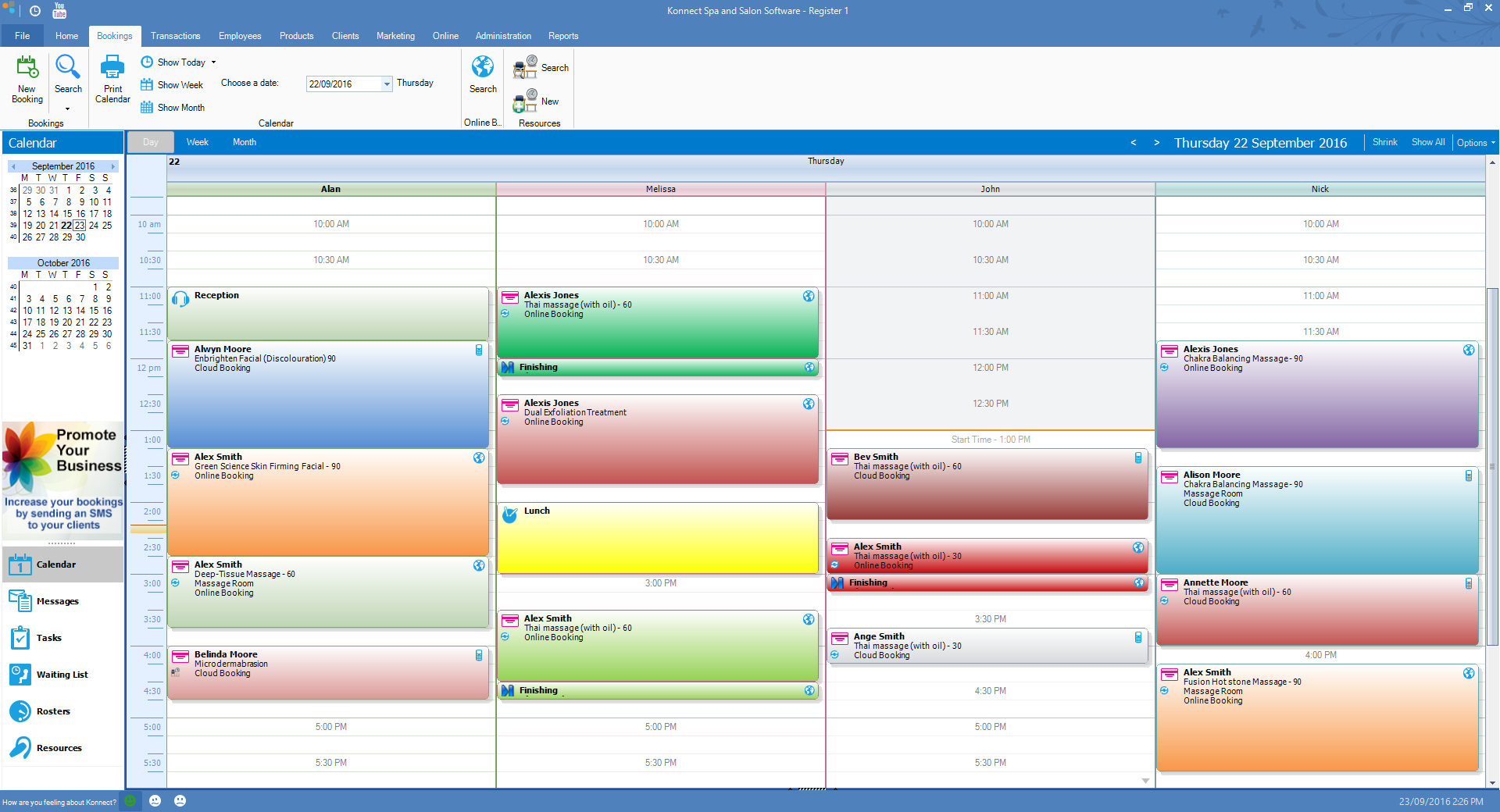
Konnect Spa and Salon Software gives you the option of colour coding your services to make it visually stand out on the booking calendar.
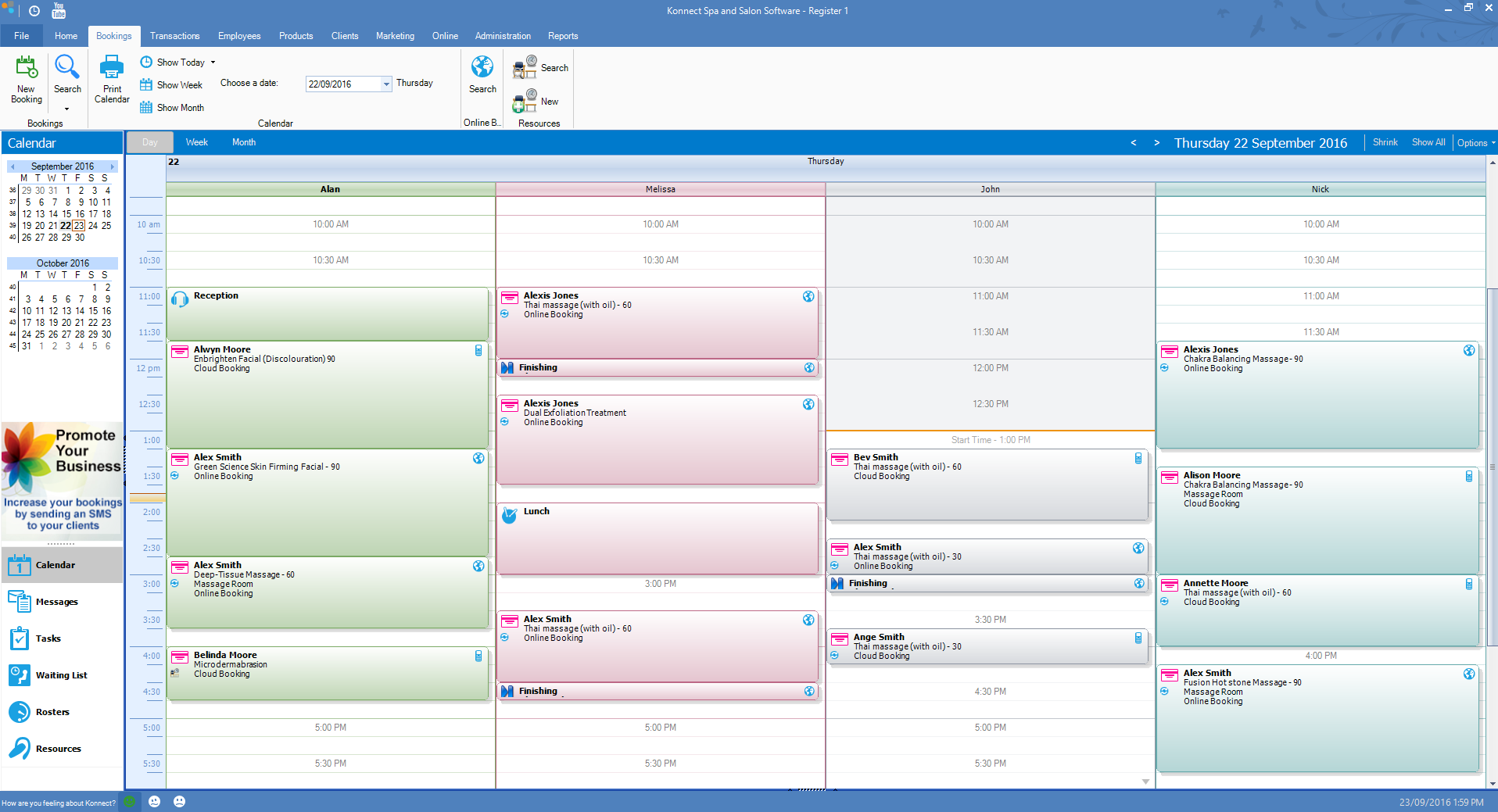
Before colour coding:
After colour coding:
To colour code your booking:
One off colour code service
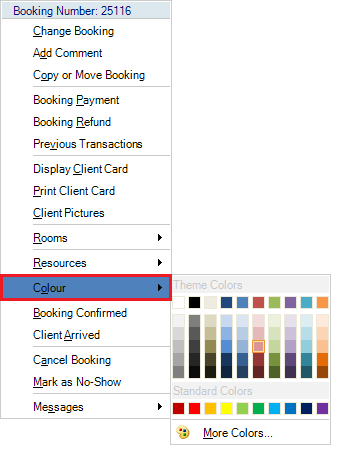
Step 1: Right click on a booking and select Colour. You may now colour code that specific booking to the colour of your choice.
Permanent colour code service
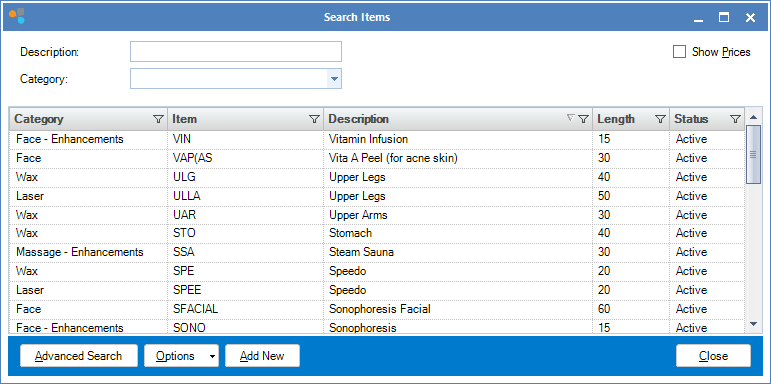
Step 1: Go to the Products tab and select Search Services.

Step 2: Your list of services will appear. Double click the service you wish to colour code.
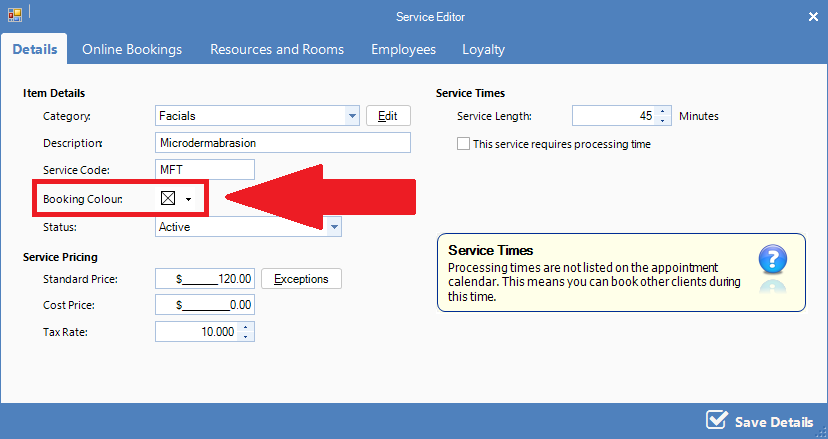
Step 3: The Service Editor will appear. Click on the Booking Colour option and assign a colour to your service. Once done, click Save Details. Whenever this service is selected, it will appear in your chosen colour on the calendar.
0 Comments