
Konnect Spa and Salon Software is capable of displaying single employee on the calendar rather than the standard way of splitting the calendar into employee columns, depending on how many employees you have.
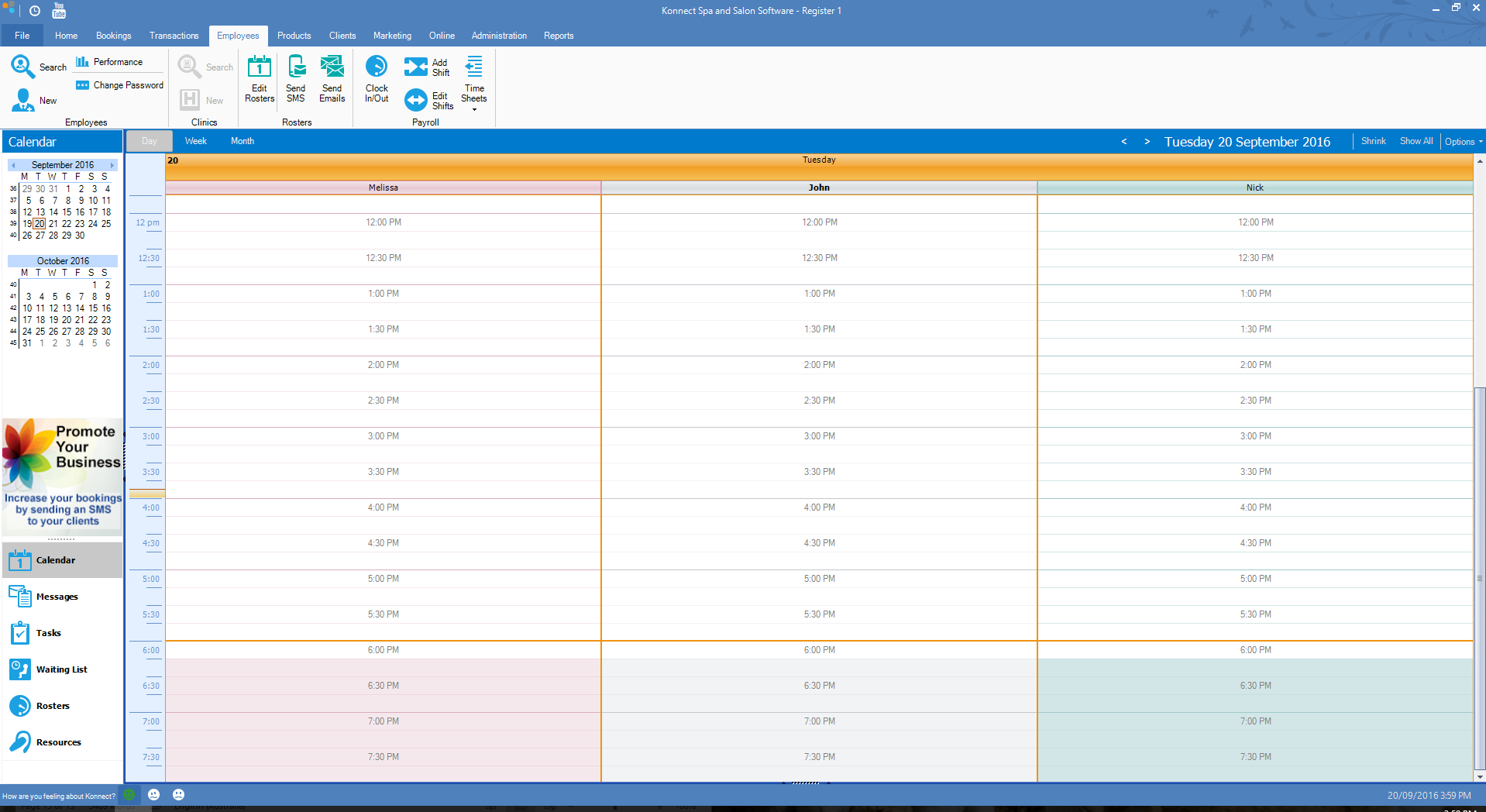
Example:
Standard Calendar Split
Single employee view
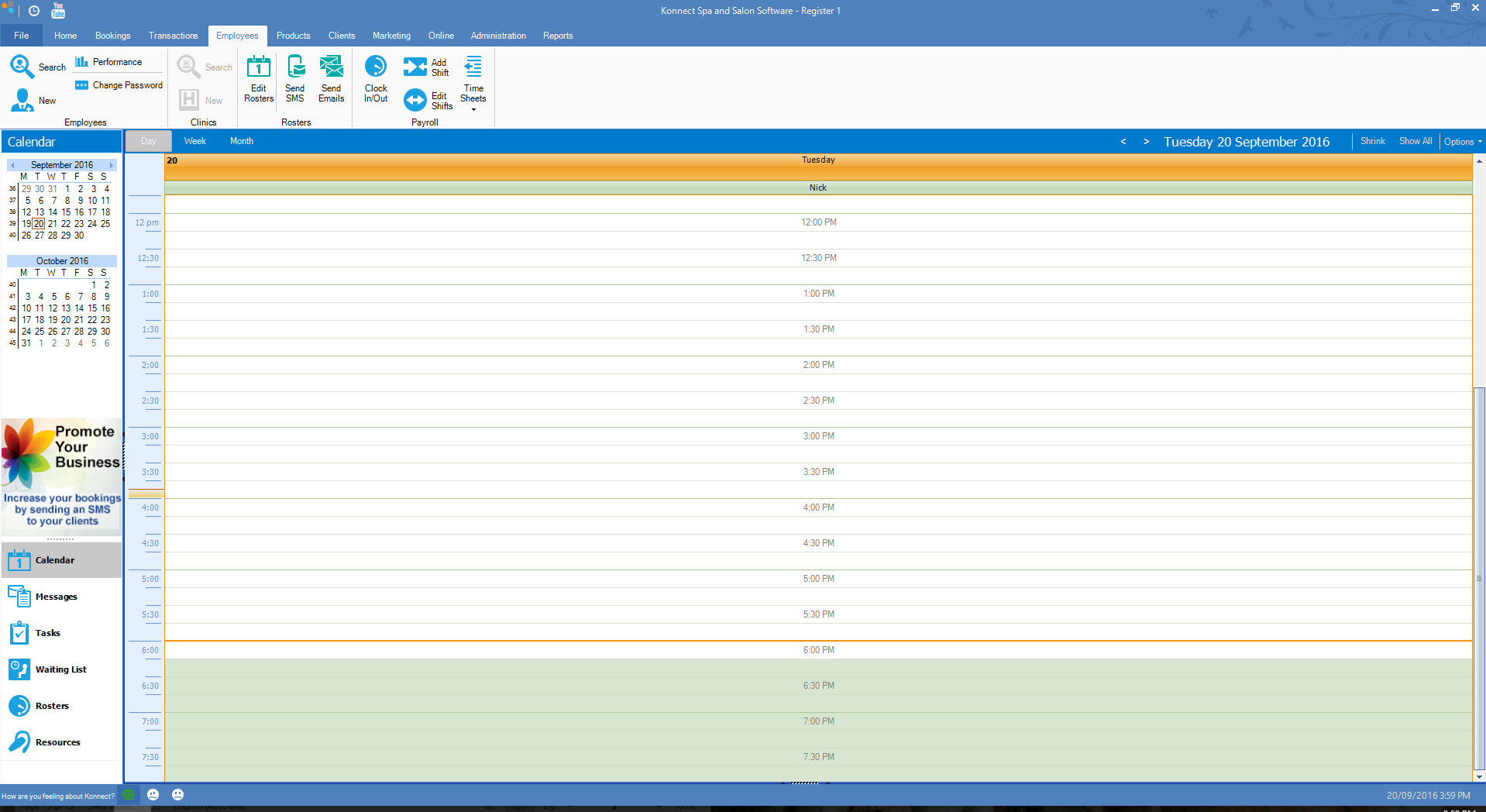
To set single employee view:
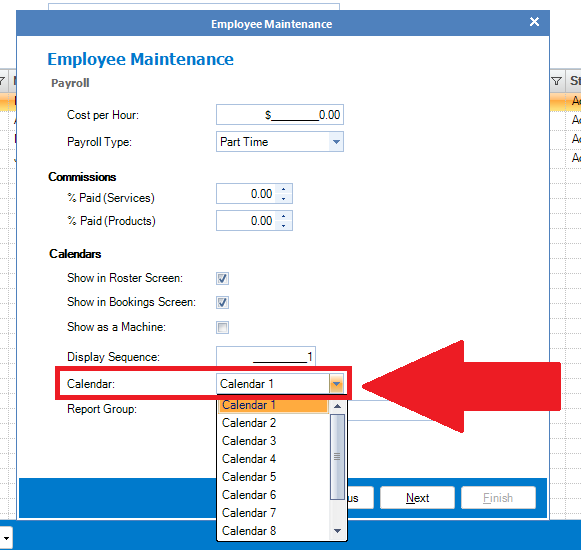
Step 1: Open your employee card by going to the Employees tab and select Search. Once your name is located, double click to open your employee card and click Next. You will see a option for Calendar. Assign a calendar number.
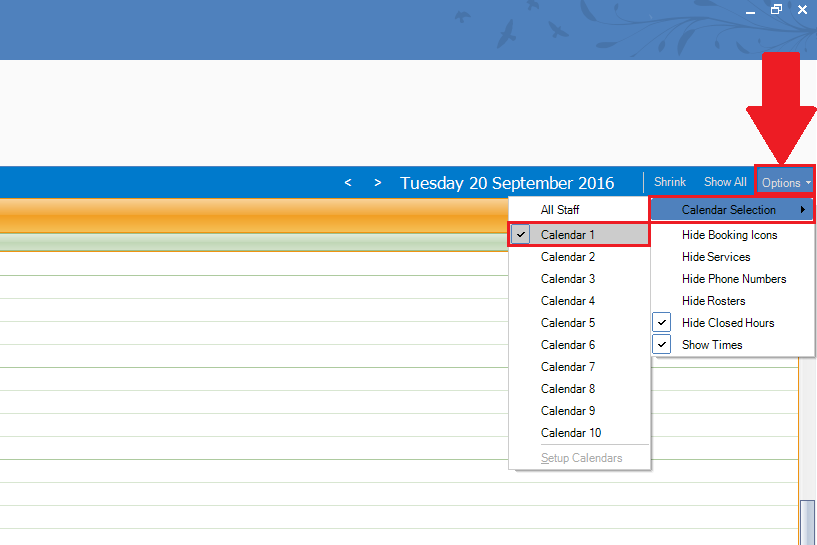
Step 2: Once you have assigned a calendar number, go to the main screen, click on the Options, select Calendar Selection and your assigned employee calendar number.
0 Comments