
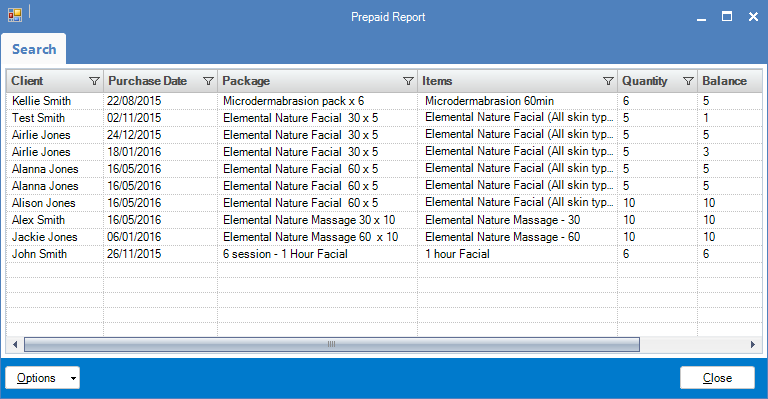
Konnect Spa and Salon Software is capable of generating a report showing all prepaid packs ever sold within the program. It will display the clients name, purchase date, the package purchased, items within that package, quantity and the remaining balance.
Unfortunately the program does not record the dollar value of the prepaid packages sold. There is no way of generating a report that will show this figure.
If the client really wants the dollar value figure, they may use the existing report and manually calculate the sums.
To access this report:
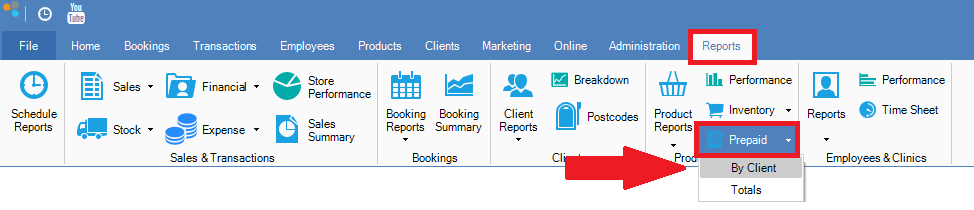
Step 1: Go to the Reports tab, select Prepaid and click By Client.
Step 2: The Prepaid Report will display, showing the client's name, purchase date, package purchased, package items, quantity and balance.
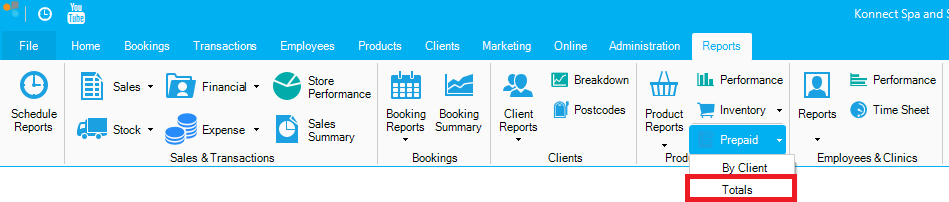
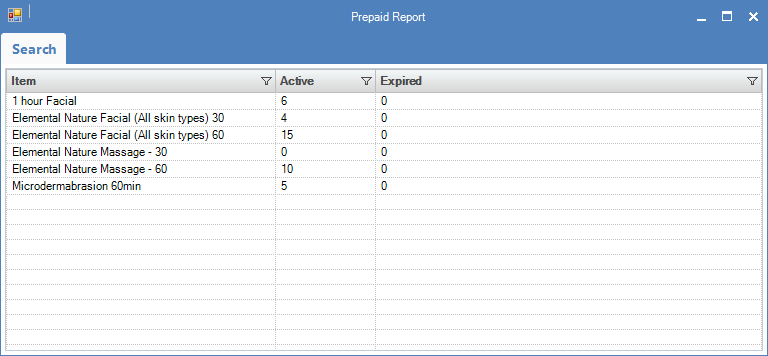
If you would like to see the total active package in the system, select Totals.
_______________________________________________________________________________
How to add an expiry to prepaid packs
You may add an expiry period to prepaid packs if that is what your business requires. To do this:
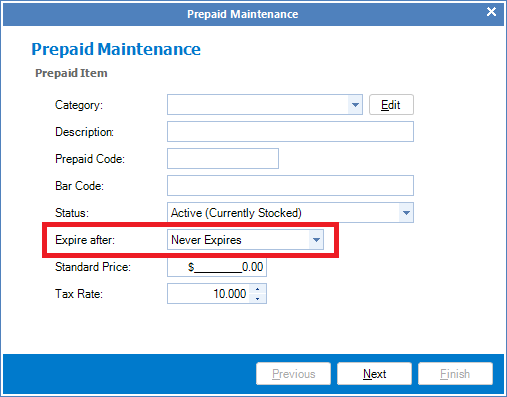
Step 1: Go to the Products tab and select New Prepaid.

Step 2: In New Prepaid, you have the option of setting the following expiry. The expiry time frame will commence from the date of purchase. Note that it is your responsibility to ensure your clients are aware of expiration periods before purchasing the prepaid package.
- Never expires
- 1 week
- 2 weeks
- 1 month
- 6 months
- 9 months
- 1 year
- 2 years
0 Comments