
Konnect has the ability to take deposits into the system, allowing you to offer flexibility of payment to your clients.
By enabling deposits, you are able to take in a partial amount for the product/service and park the sale until the full payment is made.
To enable deposits:
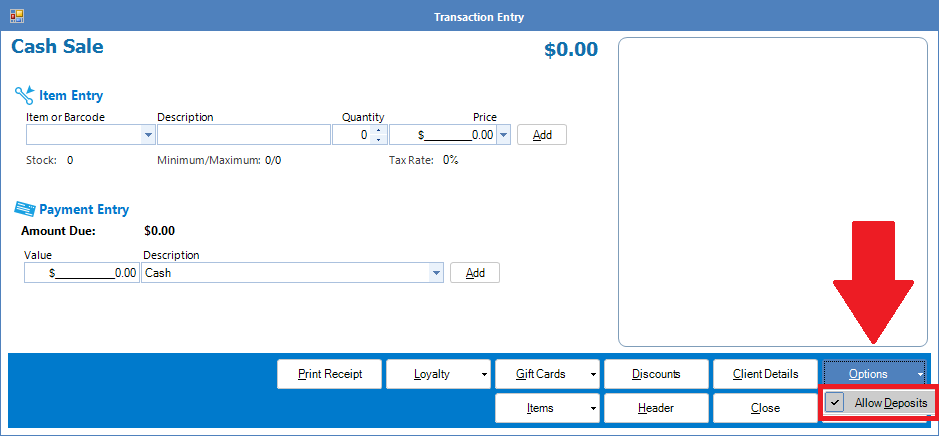
Step 1: Open a Sales Transaction screen (Cash sale etc) and select Options. Ensure Deposits is ticked.
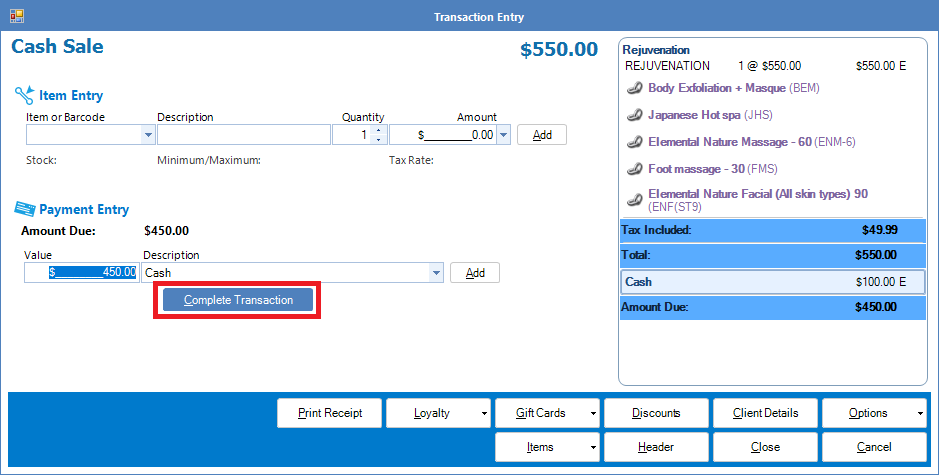
Step 2: Once Deposits is enabled, upon selecting an item and accepting a part payment for it, you are able to select Complete Transaction and the pending payment will be parked until full payment is received.
Step 3: If the client wishes to put more towards their service, simply go to the Transactions tab and select Pending payments and search for the payment in question.

0 Comments