
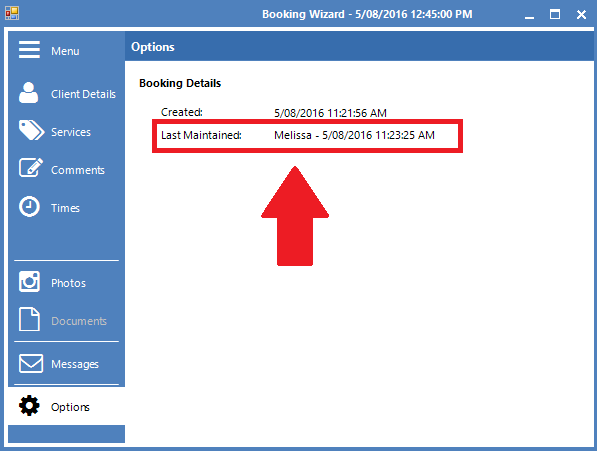
Konnect Spa and Salon Software allows you to keep track of who made and adjusted a booking, therefore ensuring if a mistake occurs, the employee responsible can be identified and provided feedback.
For this feature to work, you must have username and passwords enabled on your system. To learn more about this, click here.
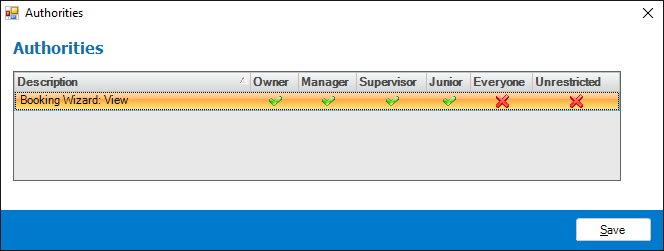
Once passwords is enabled, ensure to setup the appropriate authority corresponding to features you would like to have passwords on. To learn more about this, click here.
Once authority is set, ensure you have setup up passwords for everything related to bookings, primarily Booking Wizard: View.
Once passwords is setup, whenever a booking is made or adjusted, the password request screen will appear and any changes/amendments made to the booking will be logged based on the last login used.
0 Comments