
When performing a cash sale for walk in clients, you will need to manually set an employee's name to a transaction. This will ensure there is a record of who sold the item to the client and also adding the sales total to the employee's sales record.
To add an employee's name:
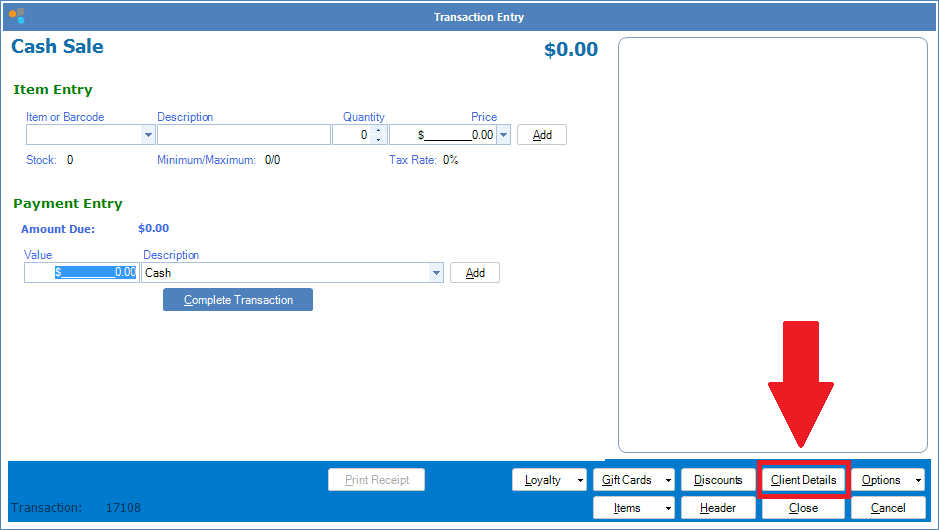
Step 1: Open a cash sale to reveal a cash sale transaction and click Client Details.
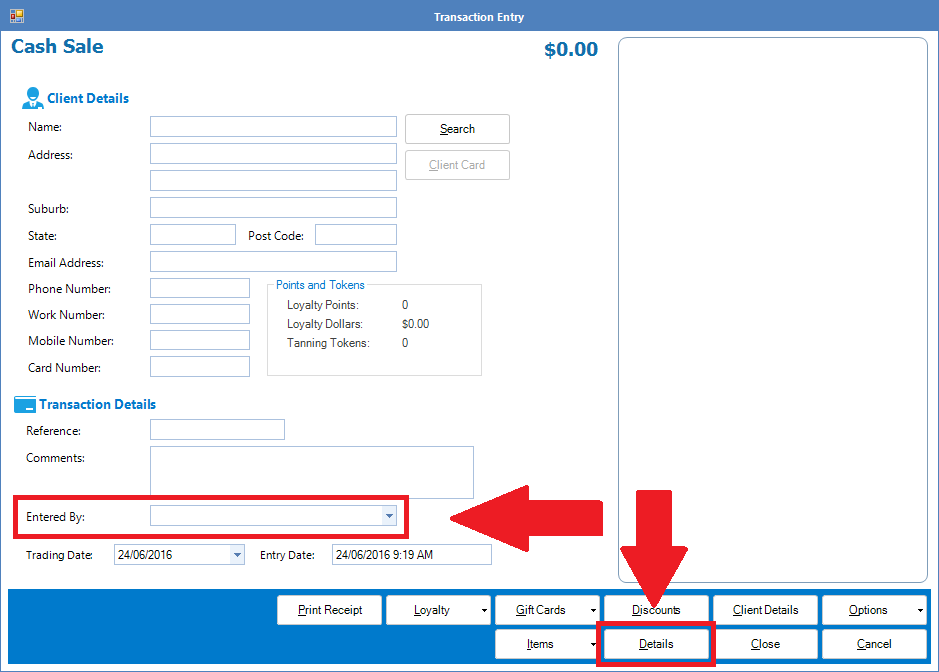
Step 2: In Client Details, select the employee's name from the Entered By drop down list. Click Details to return to the transaction screen.
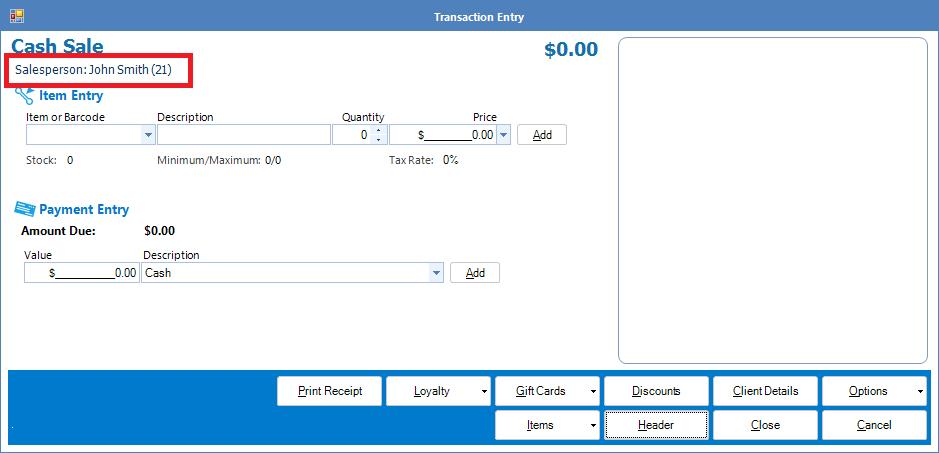
Step 3: One in the Transaction screen, you will now see the employee's name as a salesperson. Finish transaction as usual.
0 Comments