
Step 1: Go to the Products tab and select New Package.

Step 2: The Package Maintenance window will display. Fill in the fields then click Package Details.
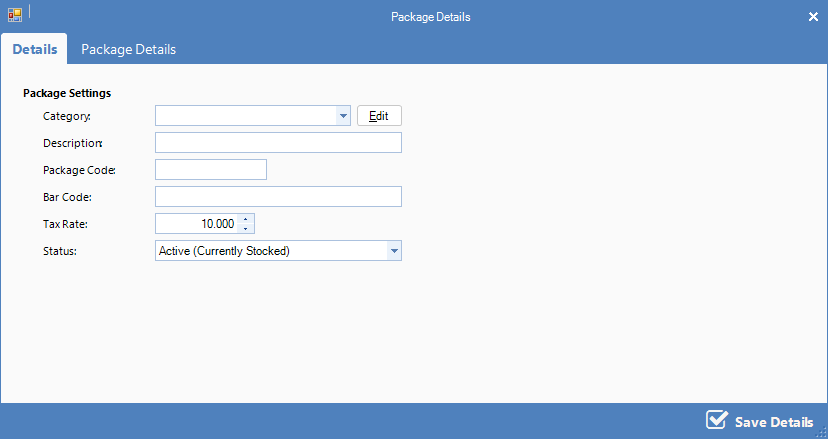
FIELDS
Category: The category the package is to be placed under
Description: Brief description of the package
Package Code: The short code used when manually entering the item
Bar Code: The bar code number used when scanning this item. Tip: Use the bar code scanner to enter the bar code
Status: A status of Active denotes that the package is still in use. A Suspended package is no longer in use.
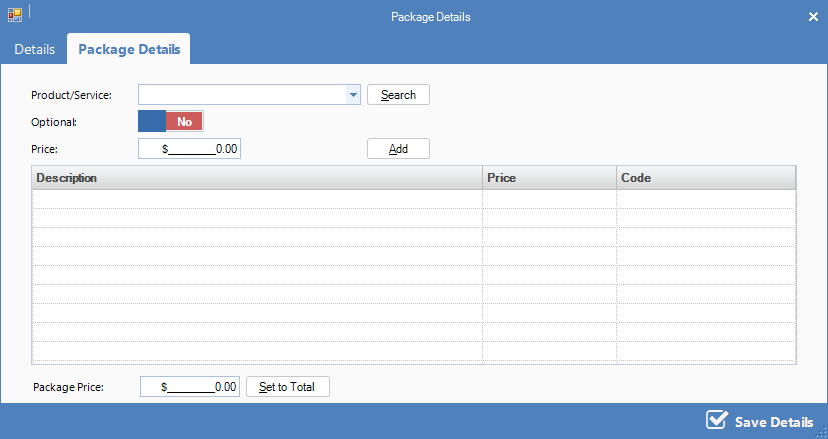
Step 3: The Package Details page will display. Select the Product/Services you wish to add to this package. Once you have selected a product or service, click the Add button. Once all the products or services have been added, set the price in the Package Price field, then click Save Details.
YouTube Video:
0 Comments