
Konnect can help organise your busy schedule by incorporating a task feature within the program.
To utilise Task function:
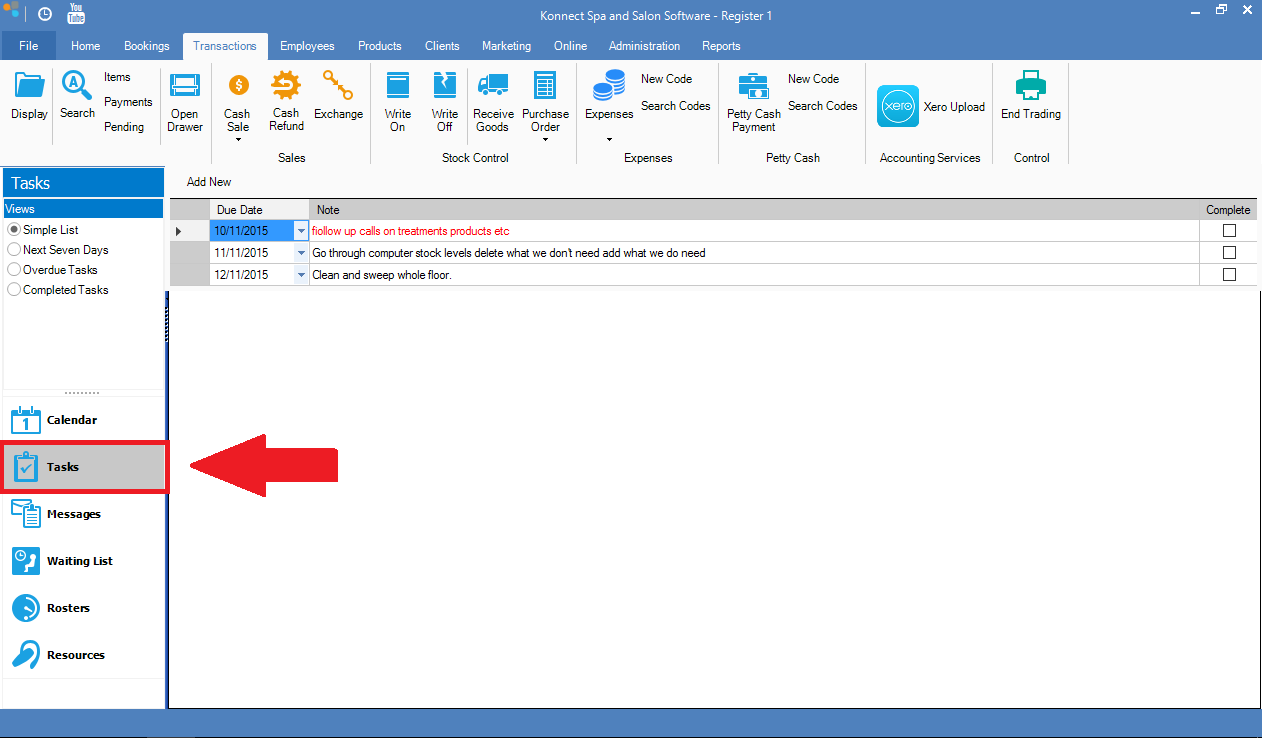
Step 1: Go to the Tasks tab on the left. The Task Function view will display.
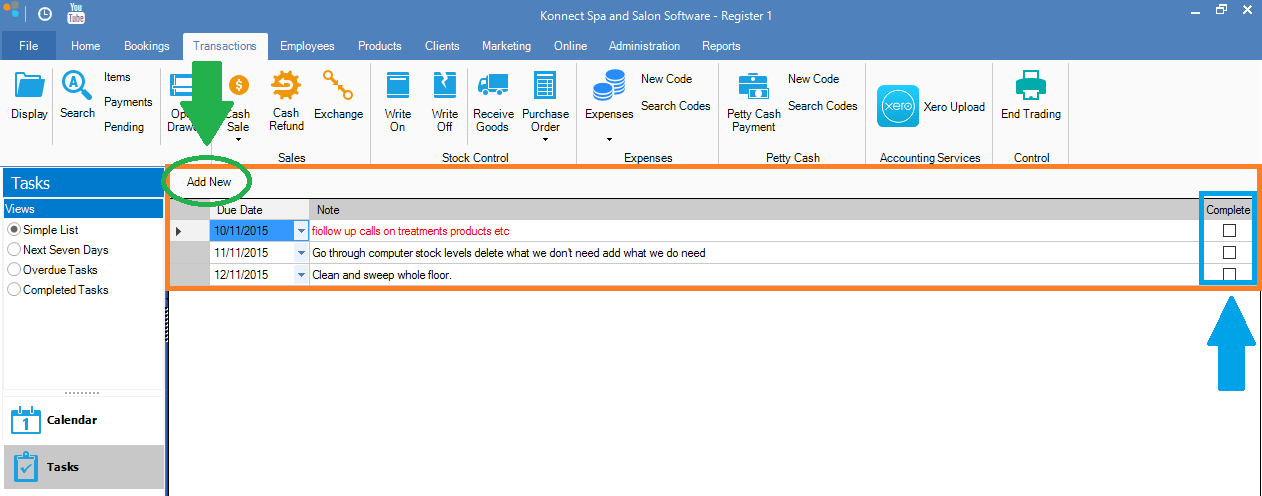
Step 2: Within the Task Function, you will see the list of tasks that has been saved (orange). Any tasks that are due on the day will be in red. To add new tasks, click on Add New (green circle). Once a task has been completed, tick Completed (blue box).
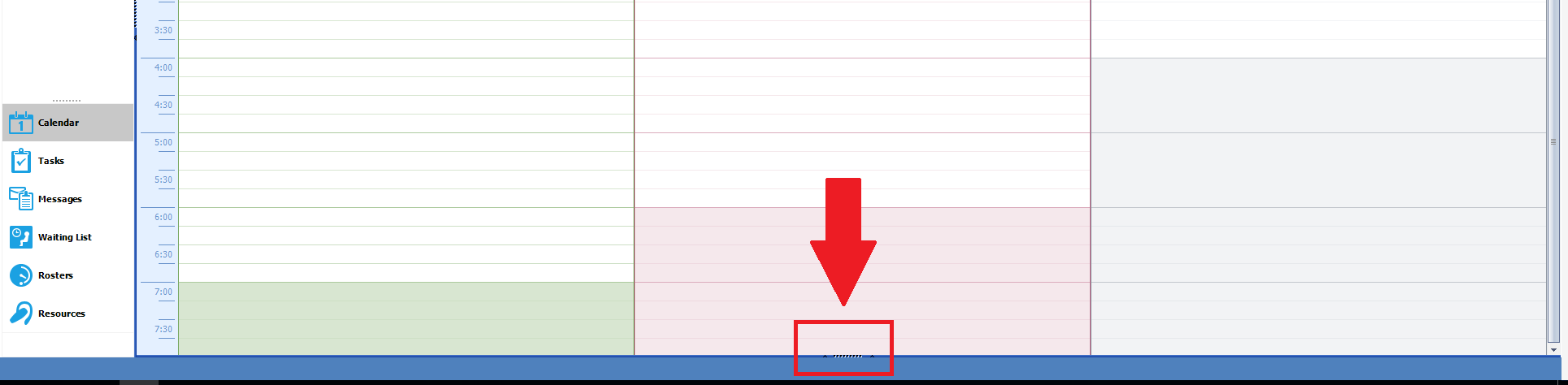
Hint: The Task Function can also displayed right at the bottom of the main booking calendar. To show the task function, simply click on the line as displayed.
YouTube Video:
0 Comments