
Konnect allows you to create a barcode book that will let you quickly scan for services rather than searching them manually on Konnect.
To print a barcode book:
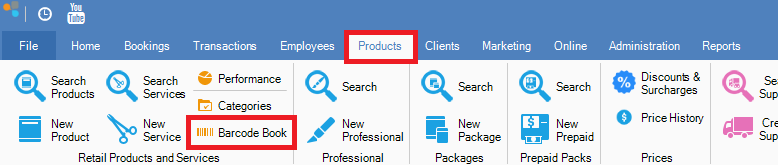
Step 1: Go to the Products tab and select Barcode Book.
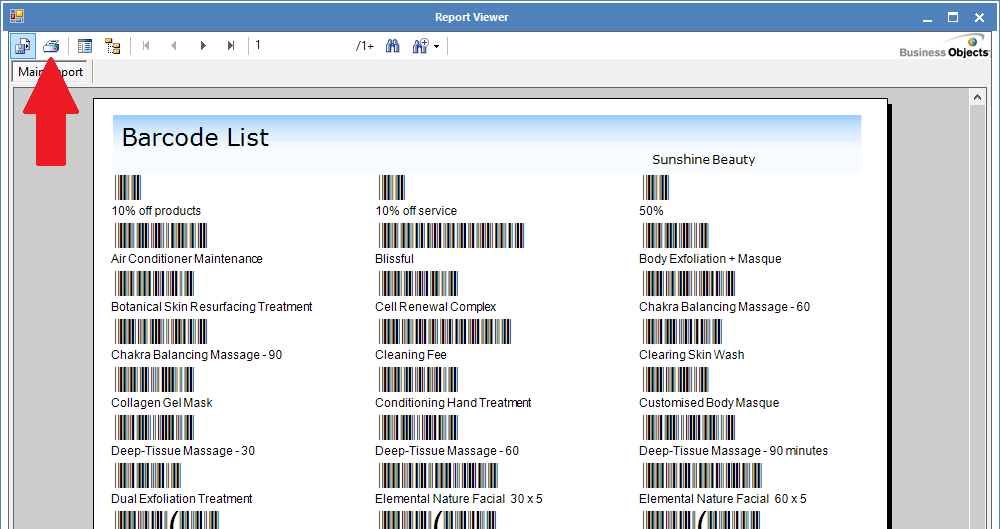
Step 2: The Barcode Book list should now appear.If you wish to print the list simply click on the print icon (red arrow).
_____________________________________________________________________
Troubleshooting
Problem: I am not seeing barcodes.
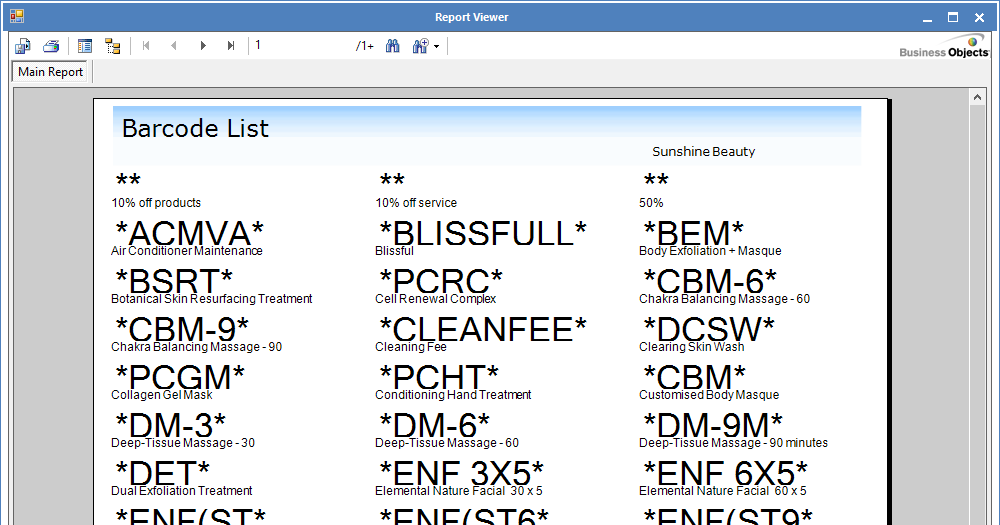
Step 1: If you are seeing numbers instead of barcodes, it means you have to install Code 39 font (click here to download).
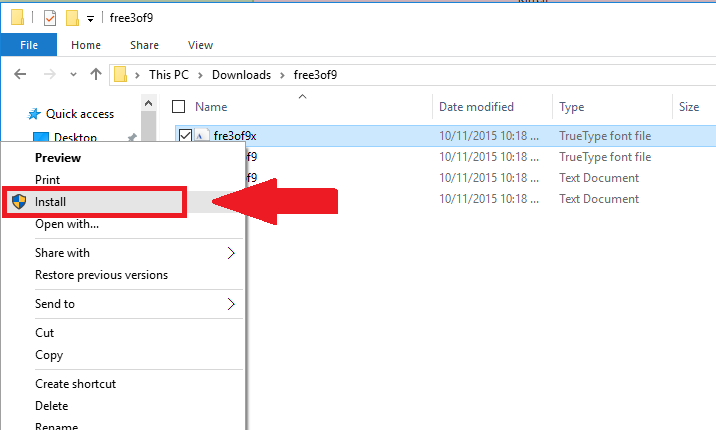
Step 2: Once downloaded, extract the file and install the font by right clicking the file and select install.
Step 3: Once installed, restart Konnect and select Barcode Book. The barcodes should now display.
YouTube Video:
0 Comments