
The Search Promotions tab will contain all your prior sent promotions and any drafts you've created.
To view your promotions:
Step 1: Go to the Marketing tab and select Search Promotions.
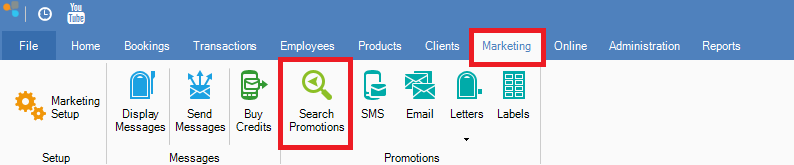
Step 2: The Display Promotions tab will appear showing your Sent Promotions list and drafts if you have created any.
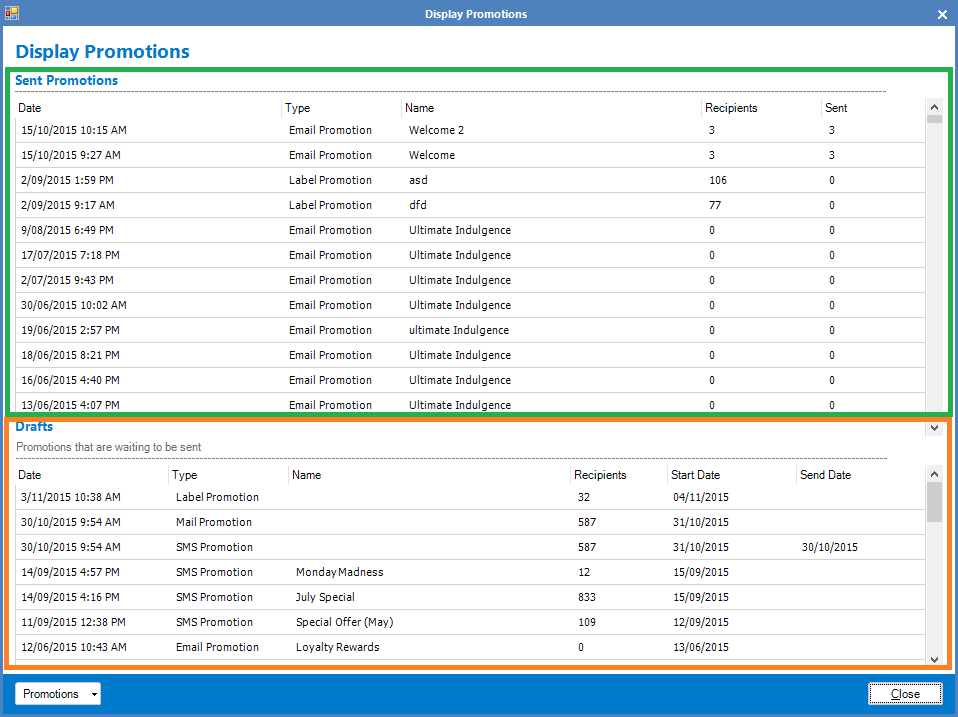
Step 3: To view campaign notes on your sent promotion, double click on your chosen campaign. The Display Promotion Results will show.
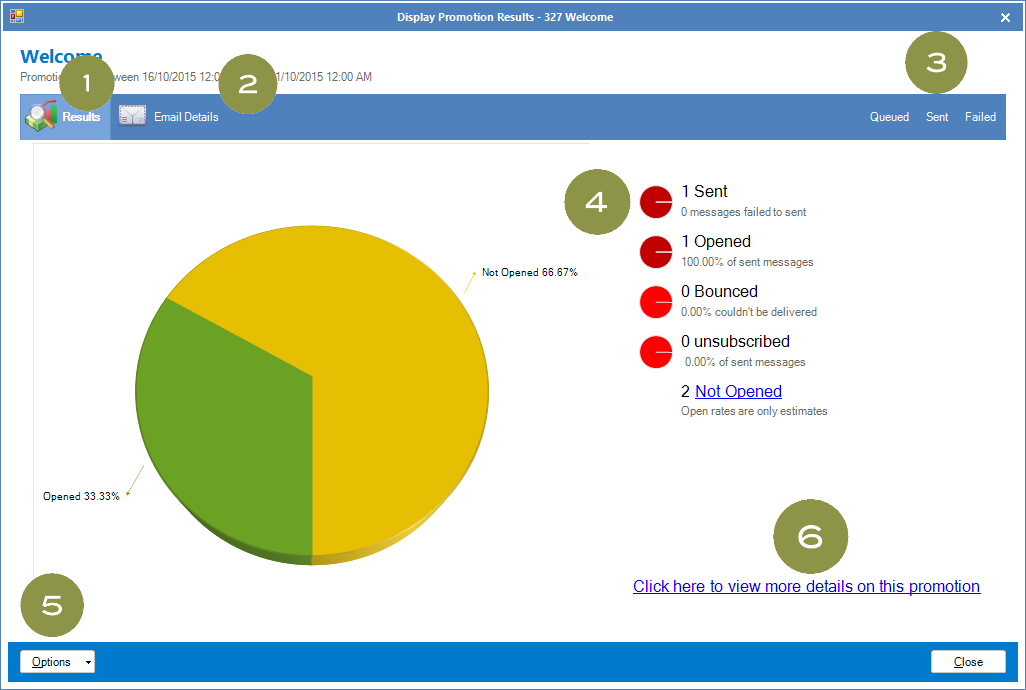
- This shows the overview results of your campaign.
- Shows you the original content of your promotion, be it Email, SMS etc that was sent to your clients.
- Allows you to check which messages are queued, sent and those that has failed. It will also display the client's details such as their name and address.
- Shows you in a glance how many of your messages were sent, opened, bounced, unsubscribed and unopened.
- Gives you the option to refresh the page or re-try any failed messages.
- Takes you to the Konnect Online Portal, giving you more insight into your campaign.
YouTube Video:
0 Comments