
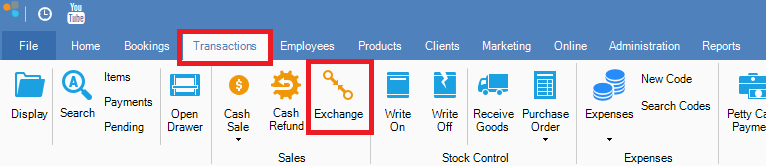
Step 1: Go to the Transactions tab and select Exchange.
Step 2: The exchange transaction entry will appear. Simply search or scan the item the client is returning, and in quantity, put a (-) in front of the quantity they are returning, eg -1, then click Add.
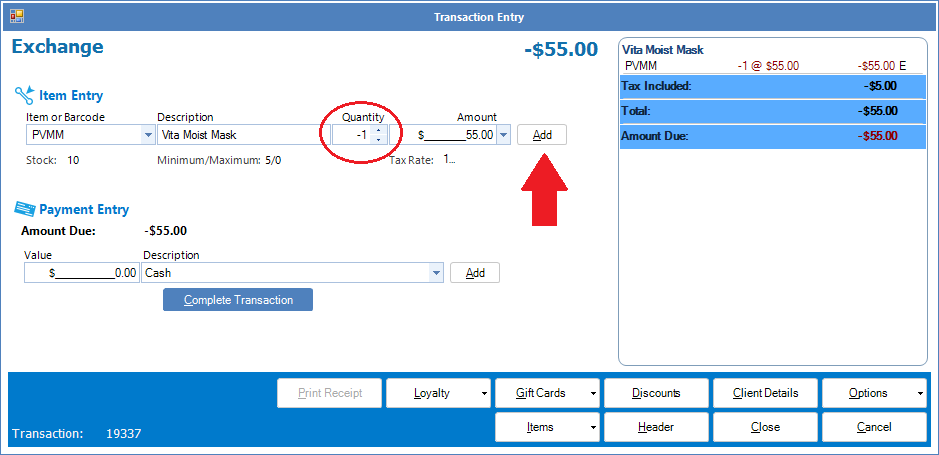
Step 3: You can then proceed with adding the new item that your customer would like to exchange by either searching or scanning the item. Once entered, simply complete the transaction as per normal.
YouTube Video:
0 Comments