
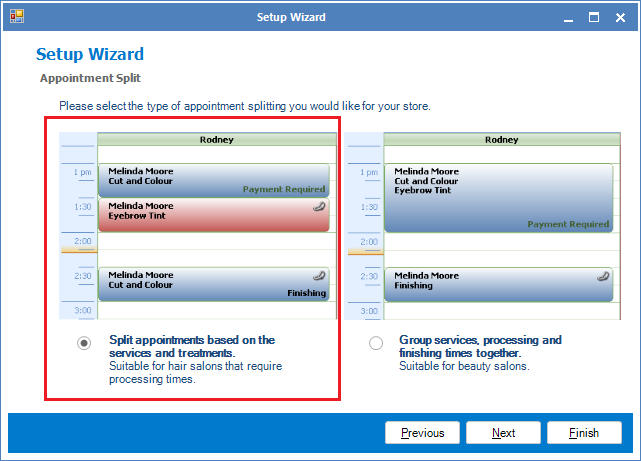
If your business requires multiple staff to service 1 client, it is best to have your appointments split so it can be moved to the appropriate columns.
To initiate split bookings:
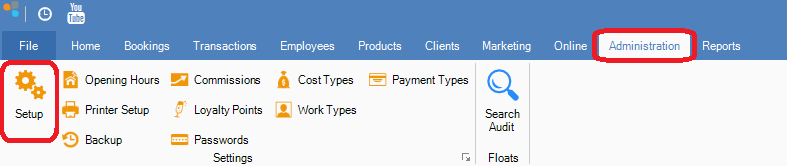
Step 1: Go to the Administration tab and select Setup.
Step 2: The Setup Wizard will appear. Click Next until you see Appointment Split.
YouTube Video:
0 Comments