
Step 1: Go to the Transactions tab and select Cash Refund.

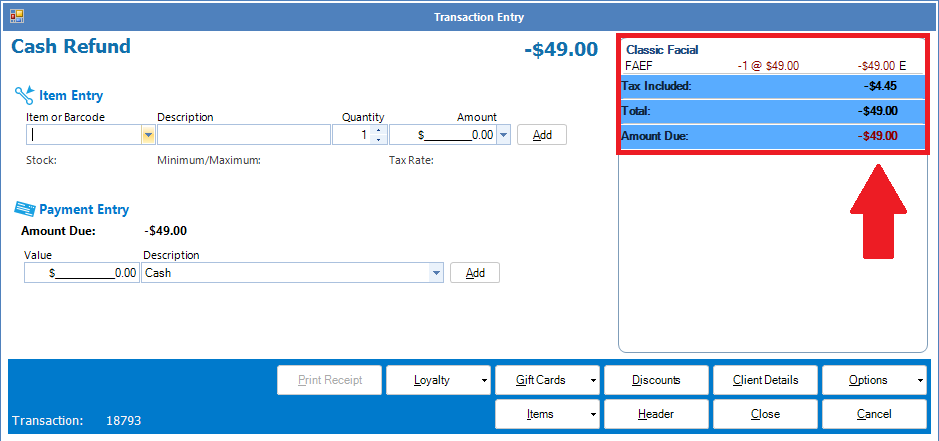
Step 2: The Cash Refund transaction entry will appear. Simply scan or search for the amount in question to be refunded. Once the item/service is selected it will appear on the right, with a negative amount.
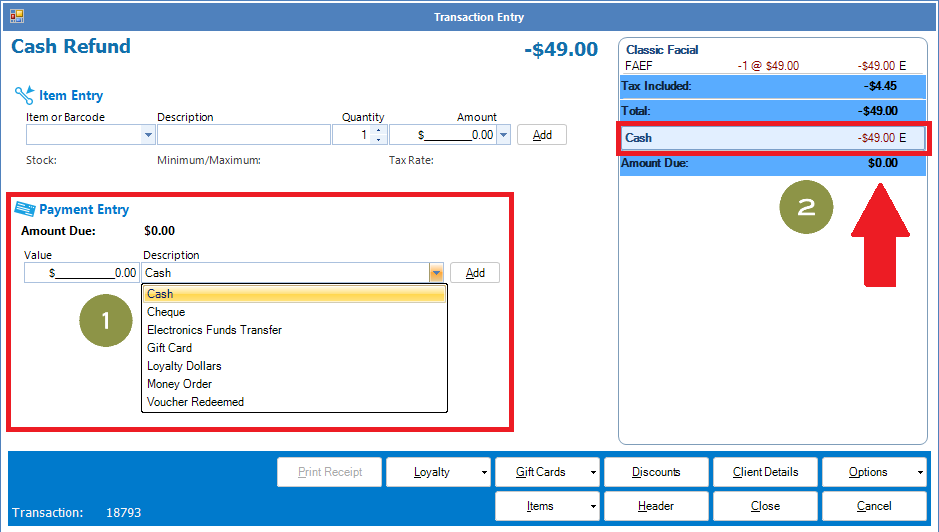
Step 3: Enter the amount to be refunded in Value. You can process the refund back to whichever method of payment the client paid with (Option 1). Once you have selected the payment entry, it will appear on Option 2. You may now complete the transaction as normal.
YouTube Video:
0 Comments