
Step 1: Go to the Administration tab and select Backup.
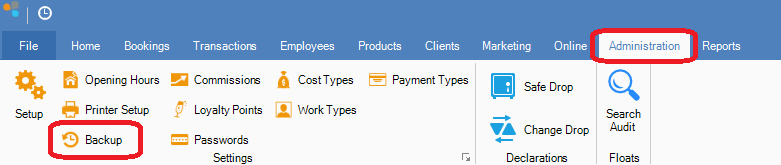
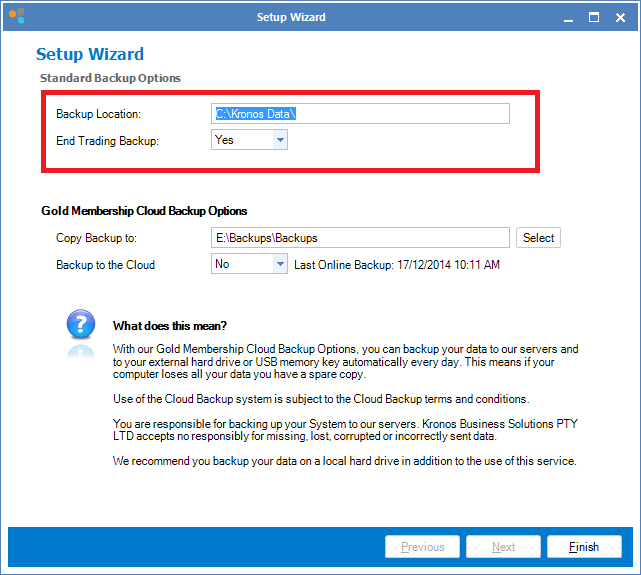
Step 2: The Konnect backup setup wizard will open. The default local backup location is the Kronos Data folder on your local hard drive (this cannot be changed).
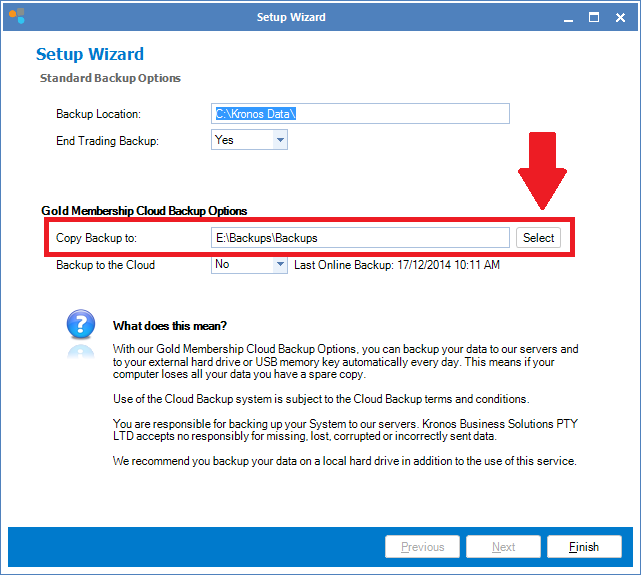
Step 3: Additionally you may choose to utilise a secondary backup option to either an external hard drive or a USB stick. Do this by clicking Select and selecting your chosen external drive.
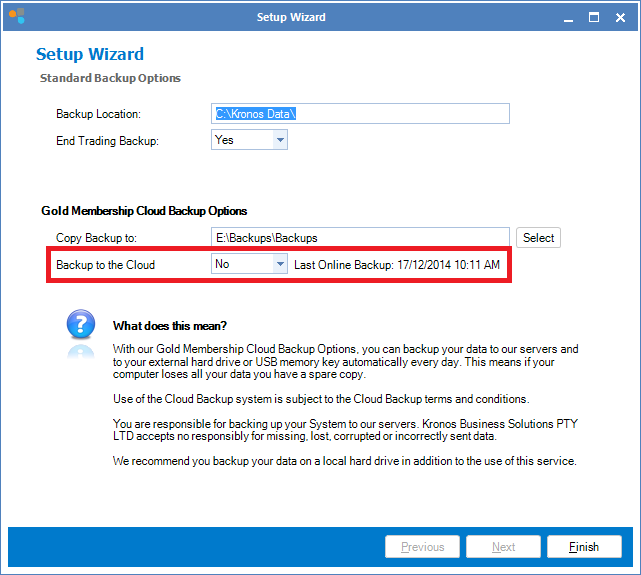
Step 4: For an additional peace of mind, you may also initiate a cloud backup to our servers. The Upload Backup window will open asking if you accept the Backup Terms and Conditions. Click Yes to accept. If you do not accept the terms and conditions click No. Note: If you don't accept the terms and conditions, you will not be able to use the Cloud backup service.
YouTube Video:
0 Comments