
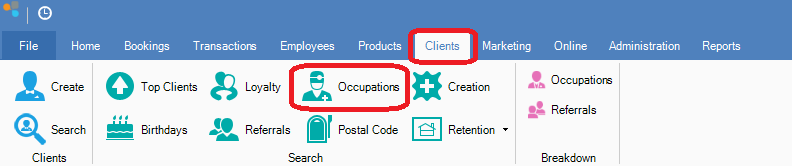
Step 1: Go to the Clients tab and select Occupations.
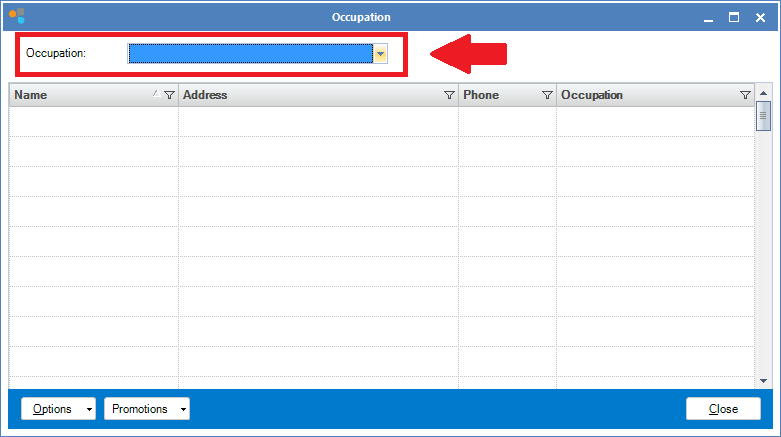
Step 2: The Occupation window will display. Select an occupation from the Occupation drop-down menu. This will then display all clients with the occupation chosen (according to the details you have entered in the client card).
Youtube Video:
0 Comments