
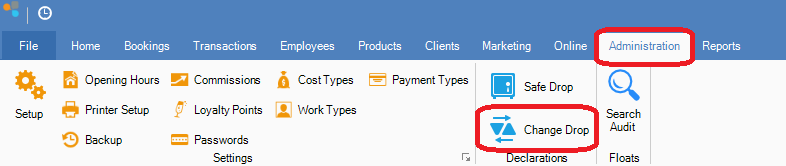
Step 1: Go to the Administration tab and select Change Drop.
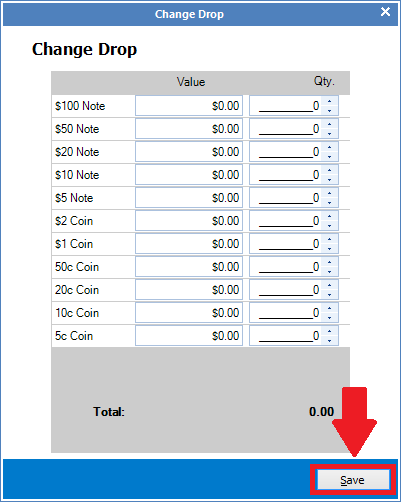
Step 2: The Change Drop window will open. Enter the value, the amount and type of notes you are taking out of the till. Then, enter the value, amount and type of notes you are putting into the till. Ensure the total is $0 and then click Save.
0 Comments