
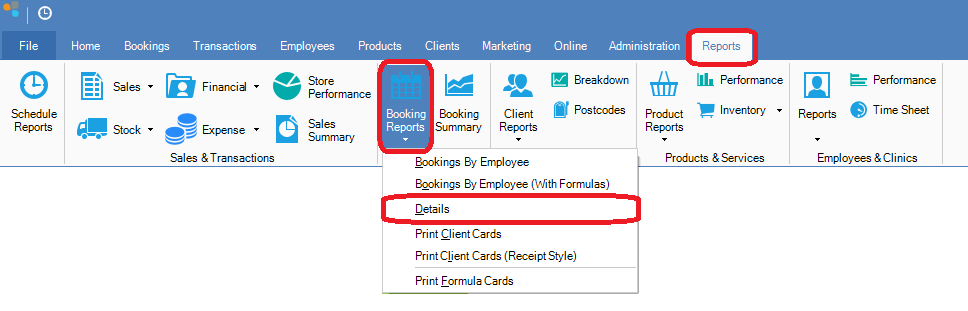
Step 1: Go to the Reports tab and select Details from the Booking Reports drop down menu.
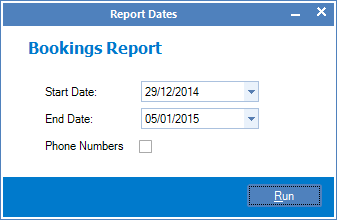
Step 2: The Report Dates pop-up will show. Enter the date range you would like your report to be generated.
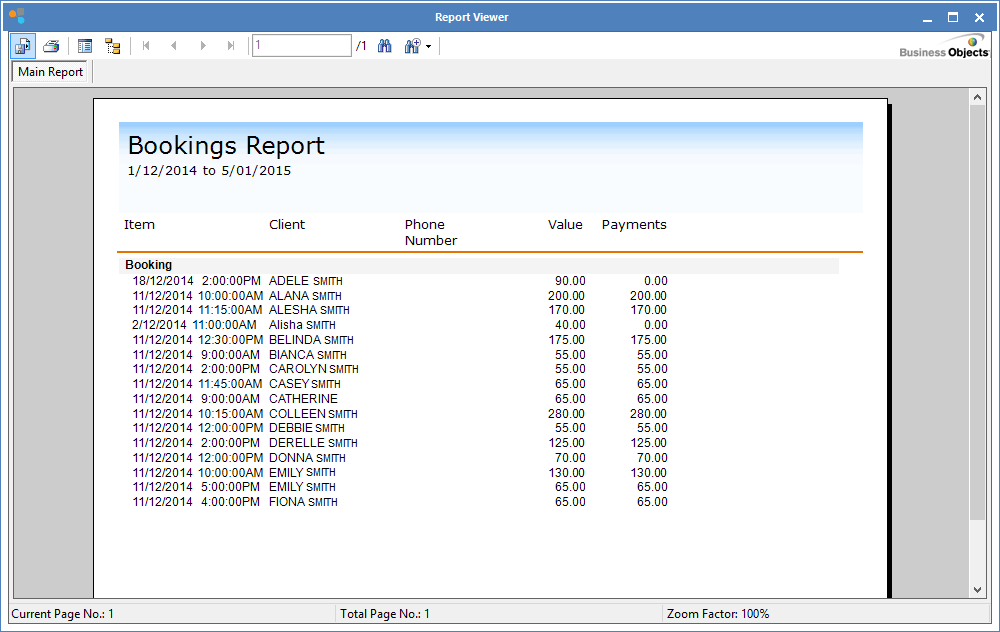
Step 3: The Report Viewer screen will show with a report of all bookings for the selected dates.
0 Comments