
Step 1: Go to the Products tab and select Discount and Surcharges.

Step 2: The Discount window will display. To Edit an existing discount/surcharge, double click on the one you wish to edit. To Create a new discount/surcharge, click Add New.
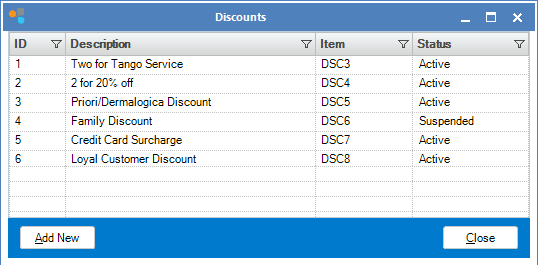
Step 3: The Discount Maintenance windows will open. Fill in the fields to create/edit your discount/surcharge.
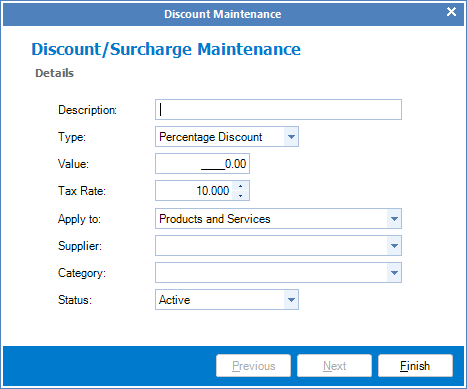
FIELDS
Description: A brief description of the discount
Type: The type of discount/surcharge ie percentage or dollar amounts
Value: The value of discount/surcharge that will be placed when used
Tax Rate: The tax rate of this discount/surcharge
Apply To: What you want this discount to be applied to
Status: If this discount/surcharge is in use (Active) or not (Suspended).
YouTube Video:
0 Comments