
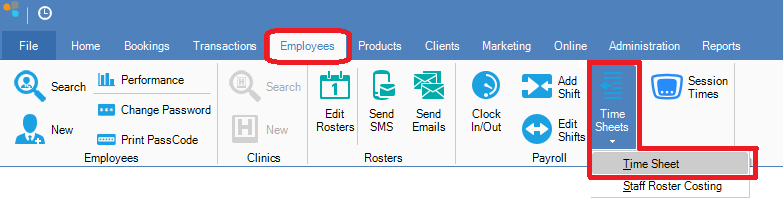
Step 1: Go to the Employees tab and select Time Sheet from the Time Sheets drop down menu.
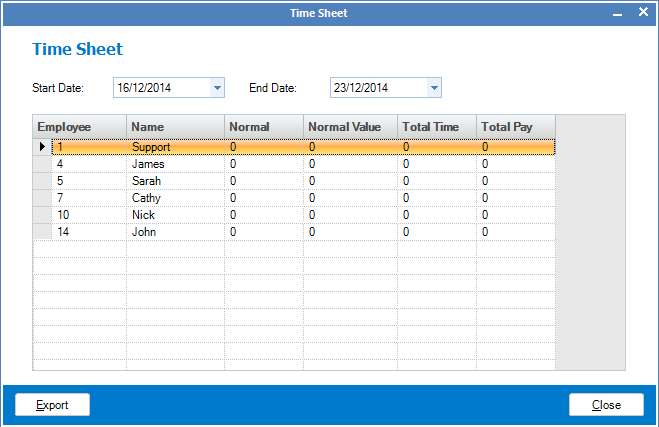
Step 2: The Time Sheet window will display. Enter the start and end date to see the total number of hours each active employee has worked, as well as their pay rates and total pay for the week.
YouTube Video:
0 Comments