
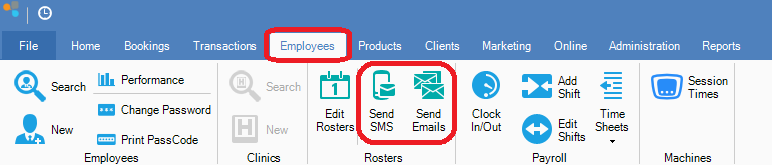
Step 1: Go to the Employees tab and select either Send SMS or Send Emails.
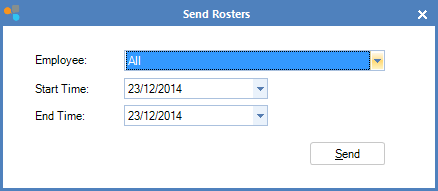
Step 2: The Send Rosters window will display. Set the right timeframe and click Send.
FIELDS
Employee: Select the employee you wish to send the rosters to. The default All will send rosters to everyone that has a rostered shift during the time frame.
Start Time: The first date that the roster commences
End Time: The last date that the roster finishes
0 Comments