
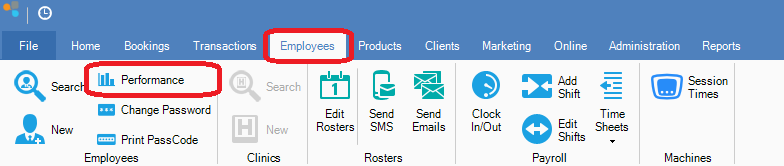
Step 1: Go to the Employees tab and select Performance.
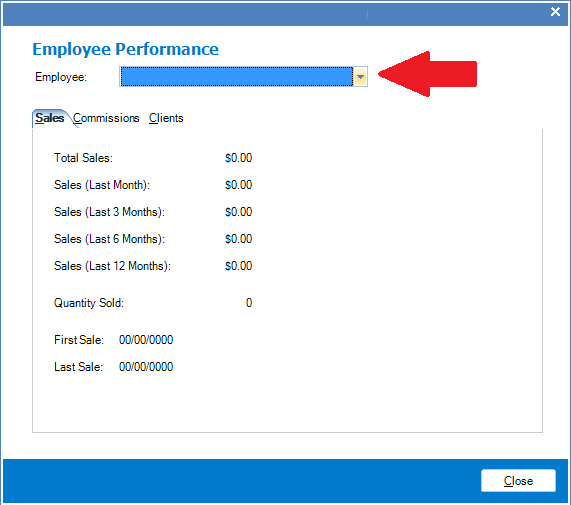
Step 2: The Employee Performance window will appear. You may select an employee from the drop down option to see their individual performance.
Tabs
Sales: The total number of sales this employee has done since their first sale, as well as a breakdown of the past 1, 3, 6 and 12 months. A graph will also give you a visual of sales performance.
Commissions: The commission this employee has earned in a breakdown of; products, services, other, and total. as well as a break down of the last month, the past 3, 6, and 12 months and total.
Clients: Here you will see all the clients this employee has served, the clients details, and if they returned.
YouTube Video:
0 Comments