
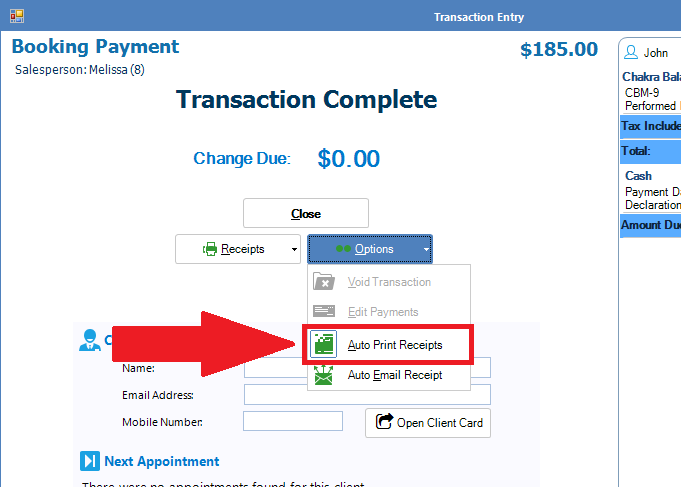
To turn on auto printing:
Upon completing either a Booking Payment or a Cash Sale, click on Options and select Auto Print Receipts. Ensure there is a box around the icon.
________________________________________________________________________________
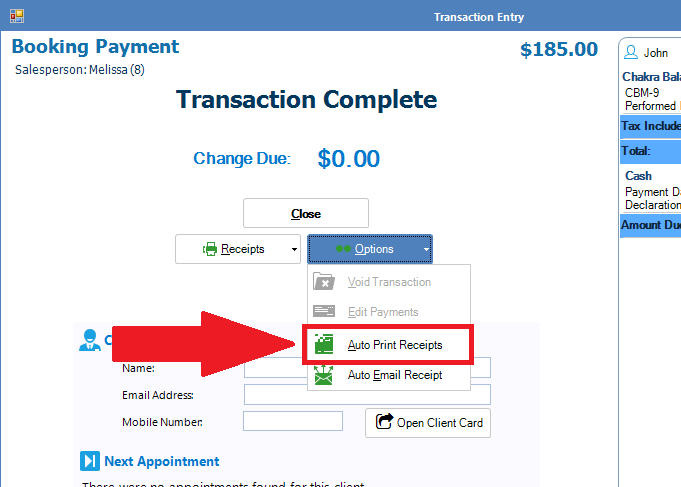
To turn off auto printing:
To turn off Auto Print Receipts, simply do the opposite of the step above, by ensuring there is NO box around the icon.
0 Comments