
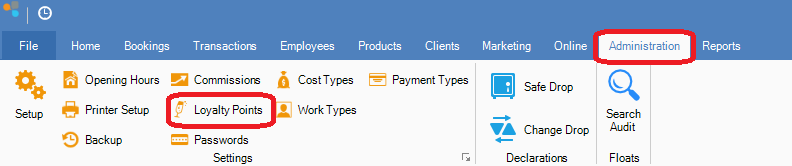
Step 1: Go to Administration and select Loyalty Points.
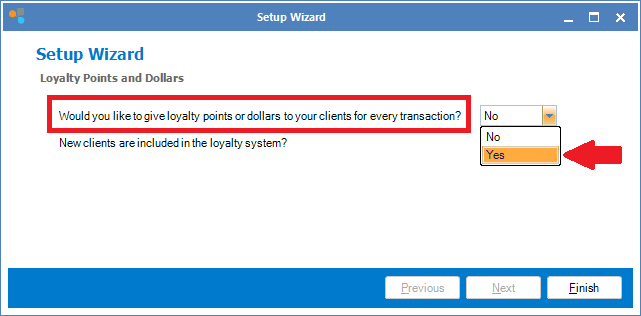
Step 2: You will now see the Loyalty Points and Dollars setup wizard. Select Yes to allow your clients to accumulate loyalty points and/or dollars for every transaction.
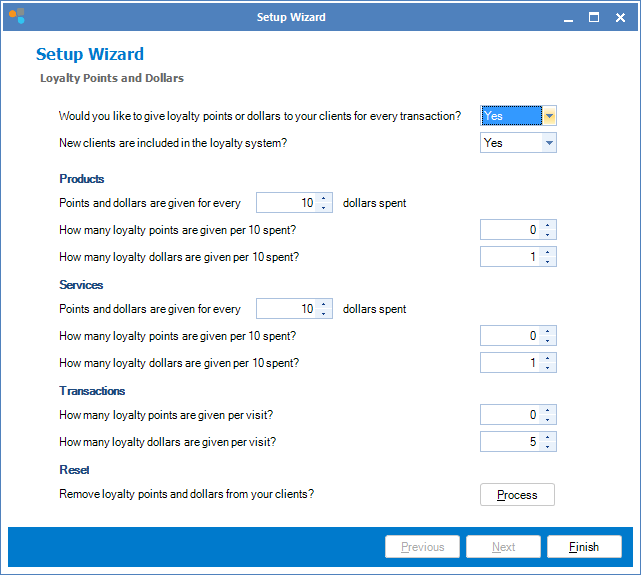
Step 3: Next you can then set how much dollars and/or points your clients get for every products, services and transactions they make. Once done, click Finish.
Note:
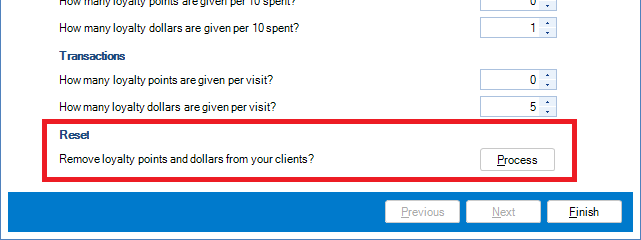
If you wish to perform a reset to ALL your client's loyalty points and dollars, you may do so by clicking Process. Warning: This process is NOT reversible once initiated.
YouTube Video:
0 Comments