
Voiding transactions is necessary from time to time to correct a transaction entry. You can only void a transaction if that transaction is made within the same trading day.
If you have not ended trade or your trading day is not correct, it will affect the void transaction function.
To be able to void a transaction, you are required to enable voiding. To enable voiding, click here.
To void a transaction:
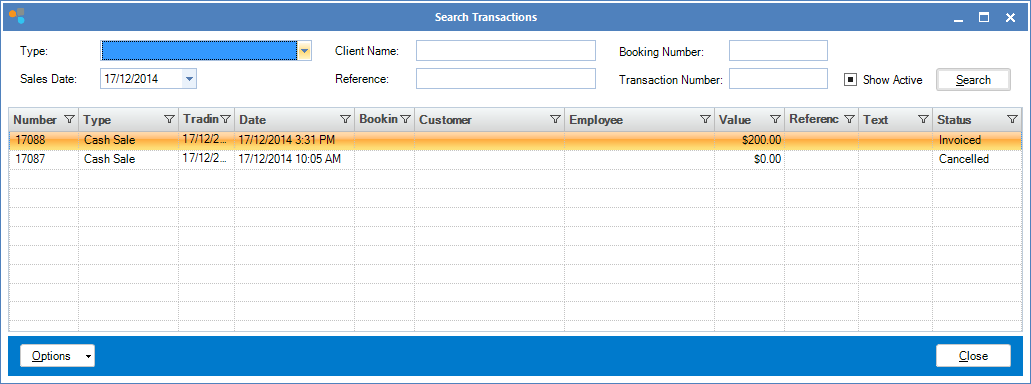
Step 1: Go to the Transaction tab and select Search to locate the transaction you wish to void.

Step 2: The Search Transaction page will show. Once you have found the transaction, double click to open it.
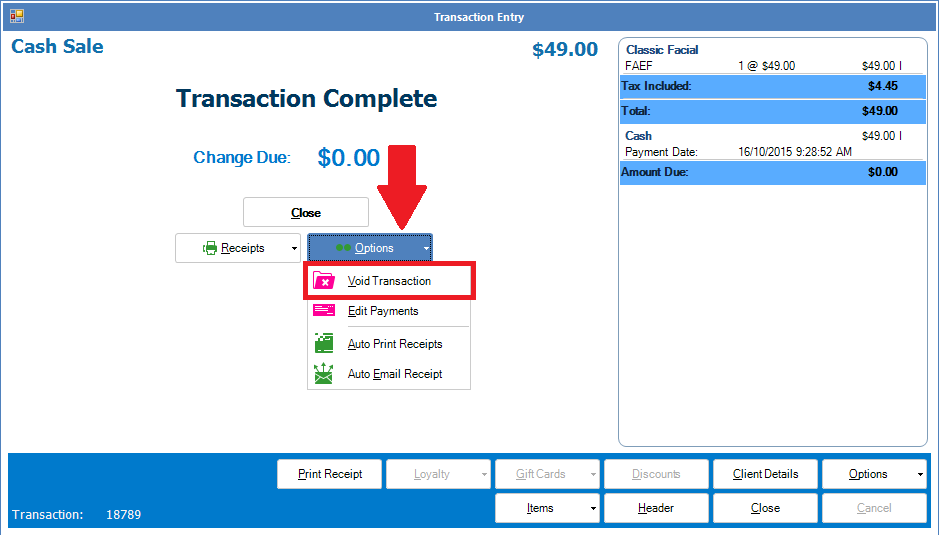
Step 3: When the transaction displays, click the Options button to show the Void Transaction tab.
Note:
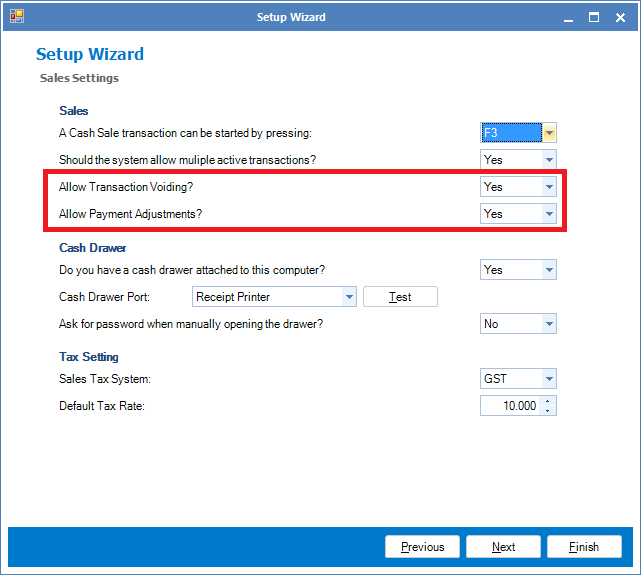
Before you can void any transactions, you must have "Allow Transaction Voiding" and "Allow Payment Adjustments" set to Yes. To do this, go to Administration and select Setup. Also you can only void transactions within the same trading day.
YouTube Video:
0 Comments