
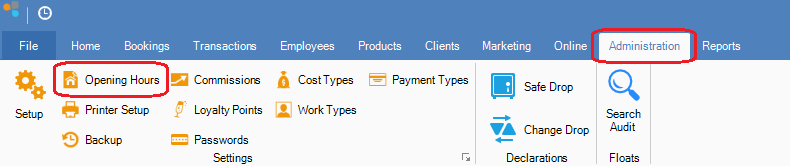
Step 1: Click on Administration and select Opening Hours.
Step 2: The Setup Wizard will appear showing your Standard Opening Hours. You can set the opening and closing times of your business by entering the appropriate times in the Open and Close boxes. If the business is closed on a particular day, check the Closed button.
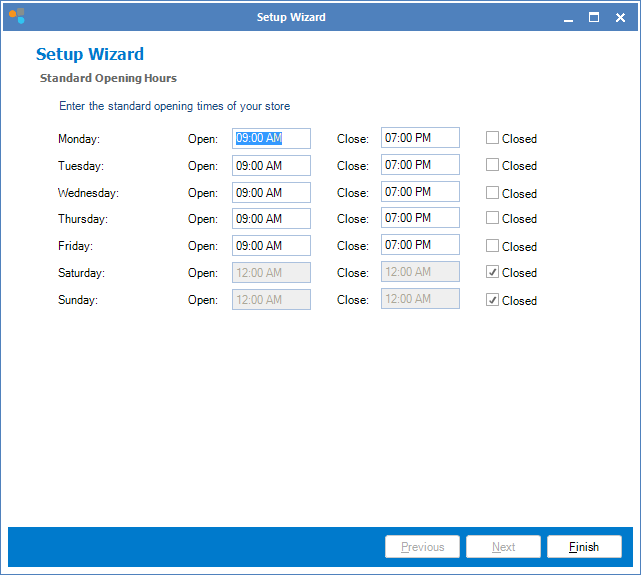
Step 3: Once done, click Finish.
Note:
If you have online bookings attached to your services, your customers won't be able to book outside of these hours.
0 Comments