
Konnect uses password security to protect its sensitive data, to allocate commissions to the correct salesperson, and to prevent unauthorised access to the terminal. To access the system, you must enter your password, scan your personal barcode (expire everyday and needs to be re-printed).
Step 1: When passwords have been activated, you will see the following box.
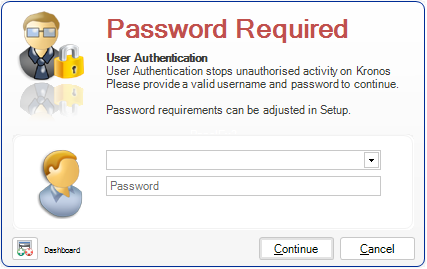
Step 2: Select your name from the drop down box and enter your password.
Note: If this is the first time you are using passwords, the default password for all employees is the word "password".
If you have forgotten your password, you may request someone with "Owner" authority to perform a password reset for you.
YouTube Video:
0 Comments