
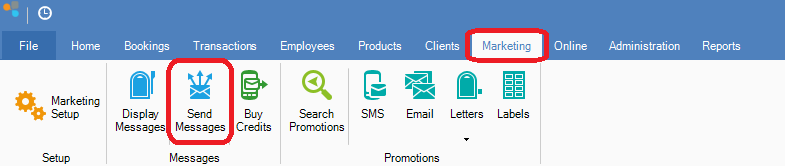
Step 1: Go to the Marketing tab and select Send Messages.
Step 2: Konnect will then send out all queued messages. Note that the system will automatically send out messages every 5 - 10 minutes.
YouTube Video:
Step 1: Go to the Marketing tab and select Send Messages.
Step 2: Konnect will then send out all queued messages. Note that the system will automatically send out messages every 5 - 10 minutes.
YouTube Video:
0 Comments