
Step 1: Go to the Reports tab and select Schedule Reports.

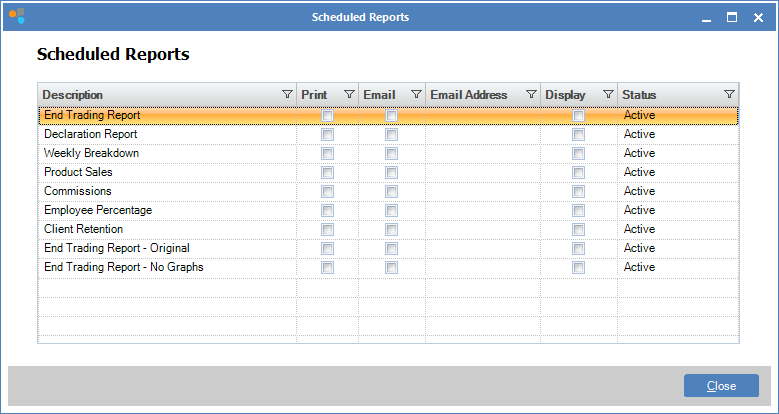
Step 2: The Schedule Reports window will open. Double click on the report you wish to schedule.
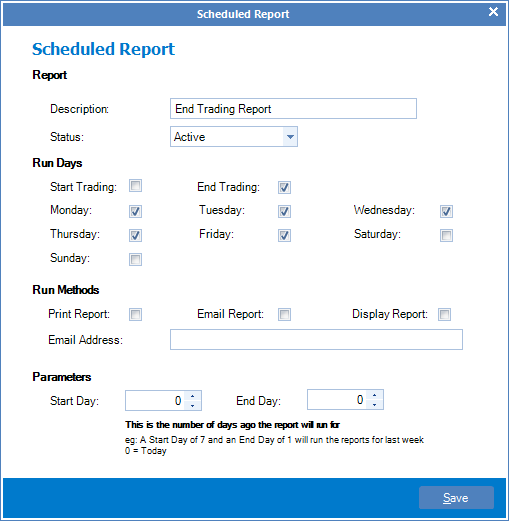
Step 3: The Schedule Report window will open. You may now make changes and once done, click Save.
YouTube Video:
0 Comments