
Step 1: Go to the Products tab and select Search Products.

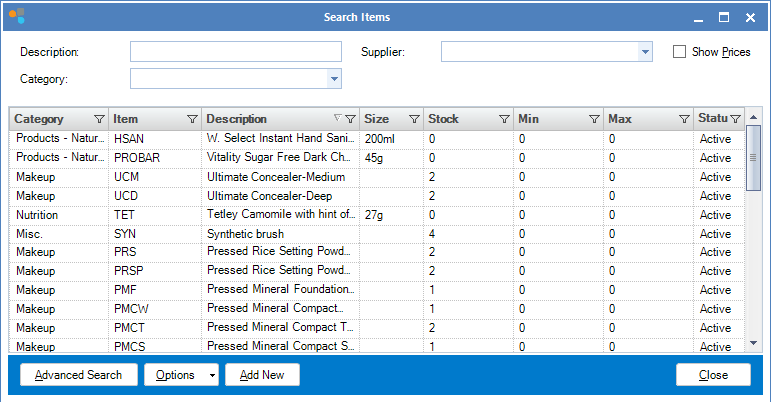
Step 2: The Search Items window will display. Double click on the product you wish to suspend.
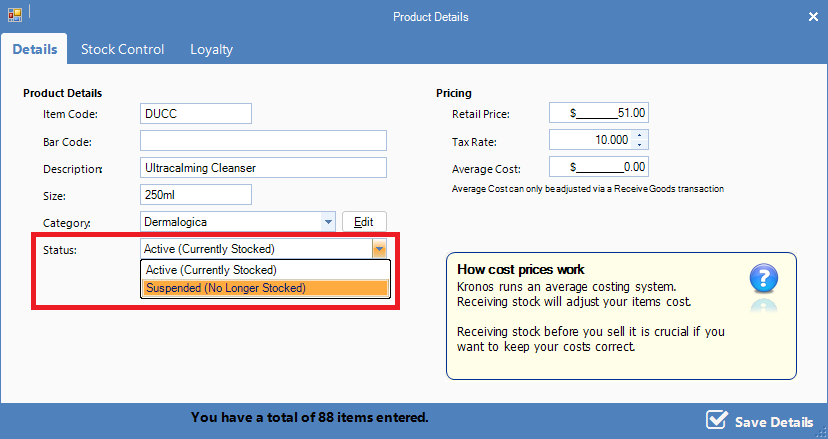
Step 3: The Item Maintenance window will display. Change the status field to Suspended (No Longer Stocked). Click Save Details to save your changes.
0 Comments