
If someone forgets to clock on you are able to add their shift to the clocked on rosters.
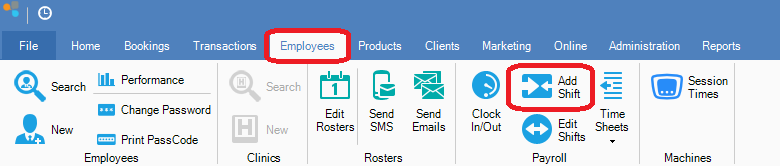
Step 1: Go to the Employees tab and select Add Shift.
Step 2: If prompted, enter your Username and Password.
Step 3: The Employee Shift window will open. Enter the fields, then click Save to add a new shift.
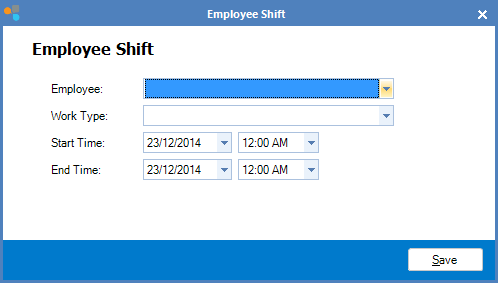
FIELDS
Employee: The employee you wish to add their shift to the clocked on roster
Work Type: The type of work the employee did
Start Time: The date and time the employee started working
End Time: The date and time the employee finished working
YouTube Video:
0 Comments