
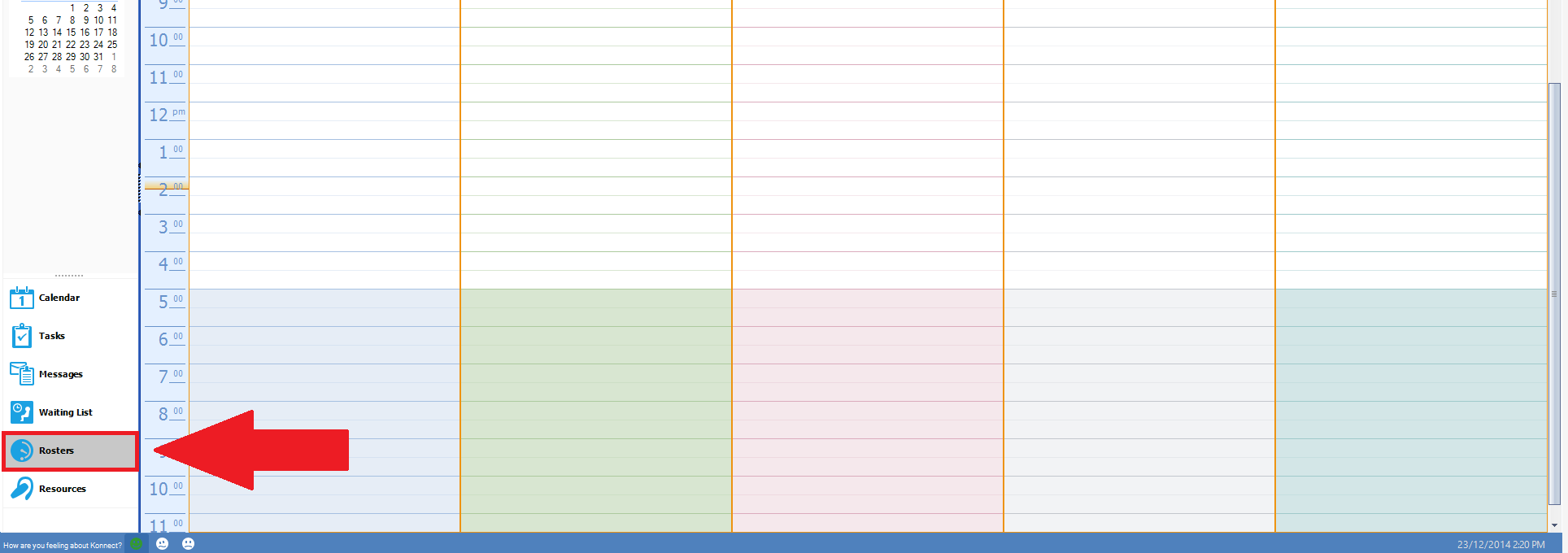
Step 1: Select the Rosters tab on the bottom left of the calendar.
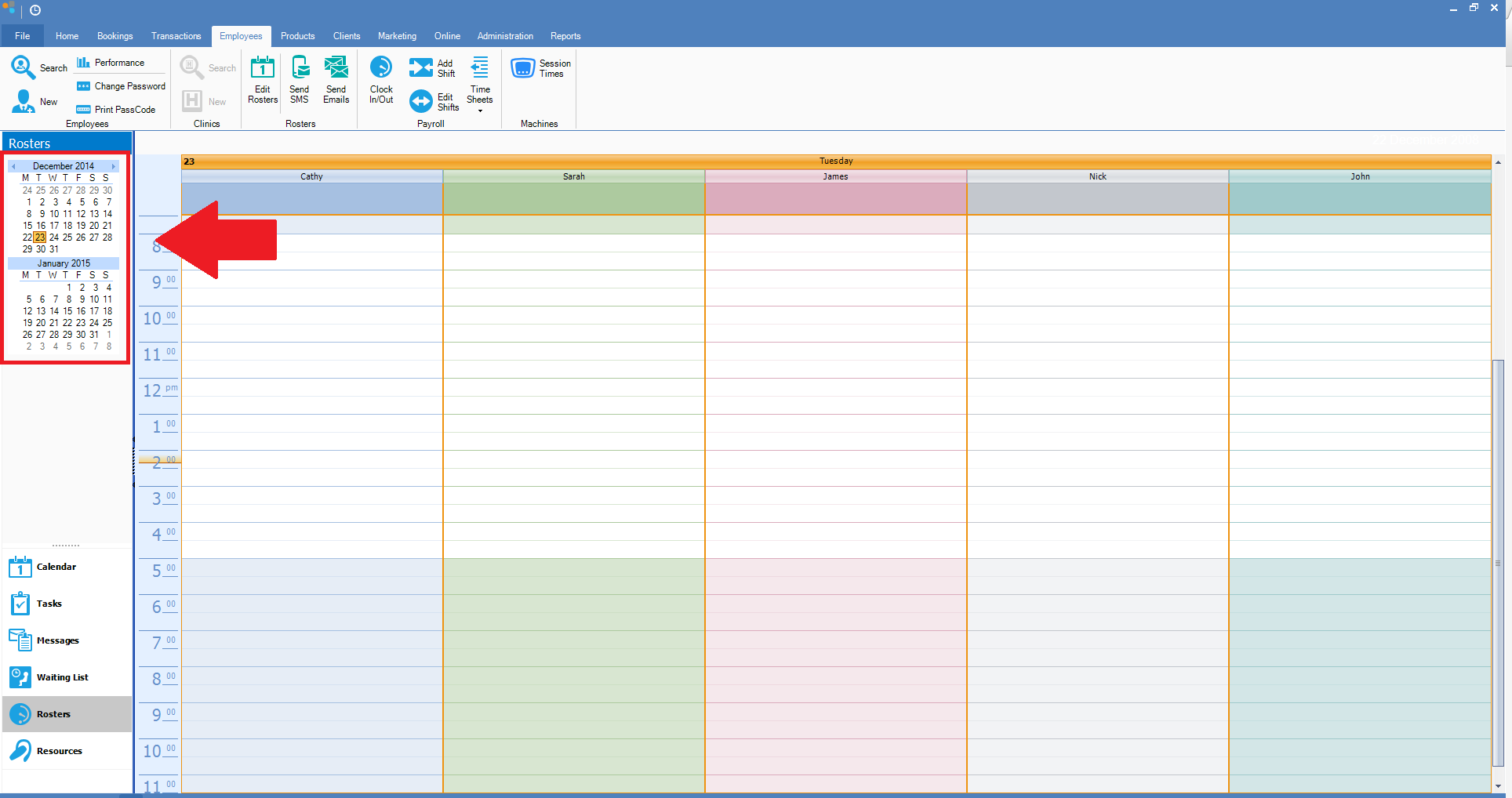
Step 2: This will change the bookings view to rosters view. To change the date, click on the date in the calendar on the left.
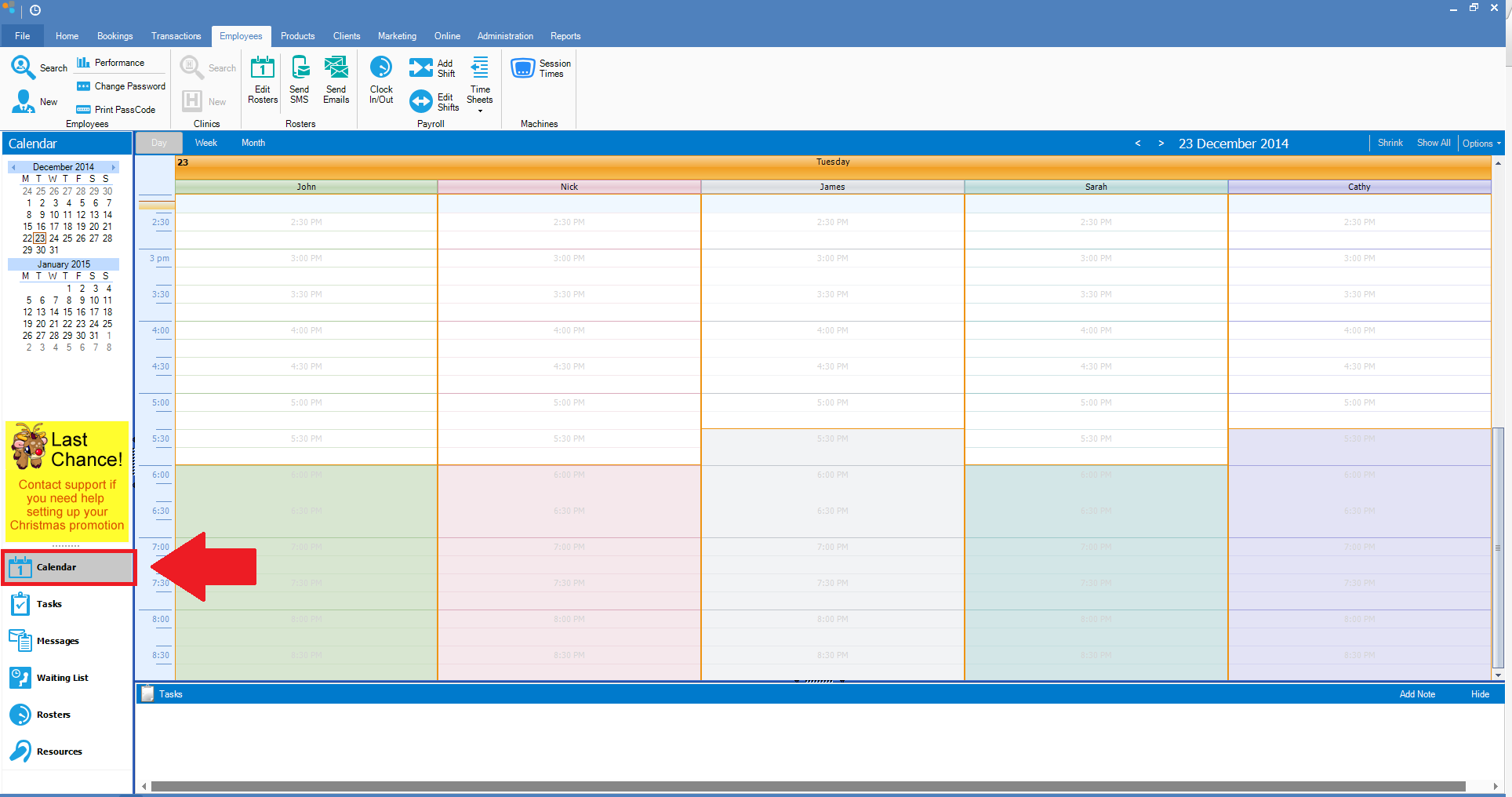
Step 3: To return to your booking calendar, click on the Calendar tab on the left.
0 Comments