
How to un-suspend an employee:
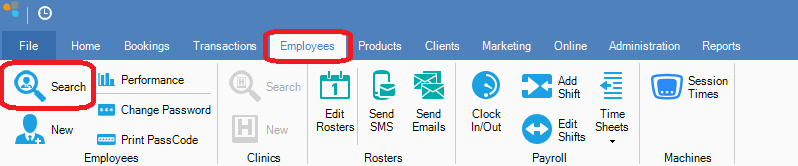
Step 1: Go to the Employees tab and select Search.
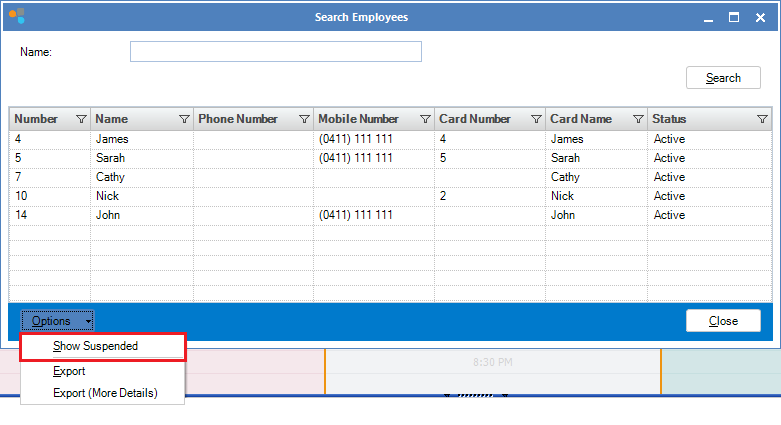
Step 2: The Search Employees screen will appear. Select Options and ensure Show Suspended is ticked.
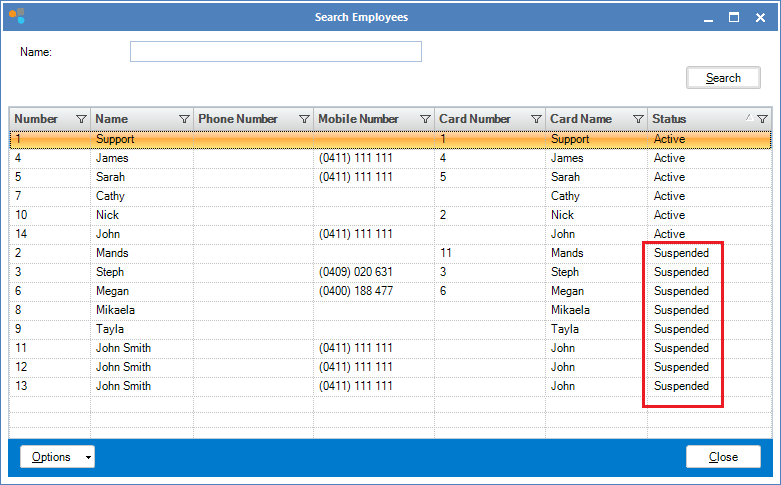
Step 3: All suspended employees will now be visible. Double click on the name you wish to reactivate.
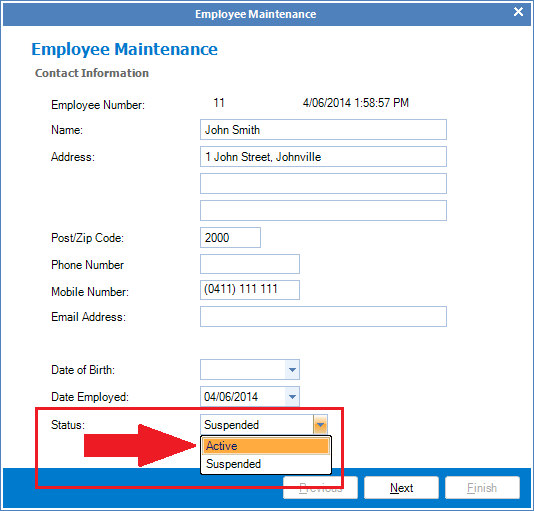
Step 4: The Employee Maintenance screen will appear. In employee status, select Active, then click next to the end and select Finish.
Note:
You may be asked to enter a support code. If so, please contact the support line on 02 8004 7684 (Mon-Fri 9am-5pm AEST) to obtain this code.
YouTube Video:
0 Comments