
Step 1: Go to the Products tab and select New Prepaid.

Step 2: The Prepaid Maintenance screen will appear. Fill in the fields and once done, click Prepaid Services.
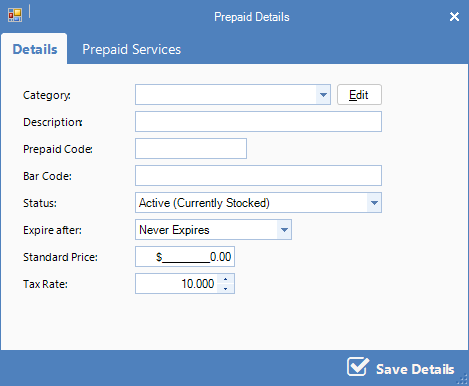
FIELDS
Category: The category this prepaid pack goes under
Description: A brief description of the prepaid pack
Prepaid Code: A short code for manually entering
Bar Code: The bar code for this prepaid pack
Status: An Active status denotes that the prepaid pack is currently in use. A Suspended prepaid pack is no longer in use.
Expire After: Amount of time the prepaid pack must be used before it expires
Standard Price: The price of the pack
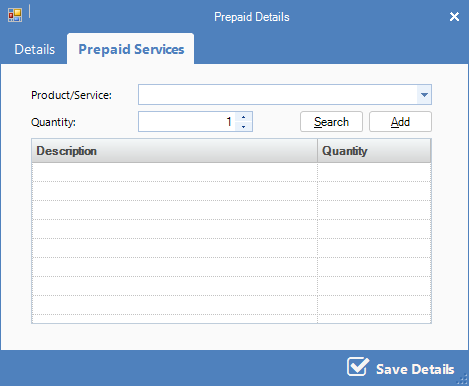
Step 3: On the Prepaid Products and Services page, add the products, services and quantity included in the pack. Click Add and once all products and services has been added, click Save Details.
YouTube Video:
0 Comments